Docker ignores UFW: fixes tested at runtime
Tested on Docker Engine 29.9.2
Test result
Yes, a Docker-published port bypasses UFW. On the test box, curl from outside got HTTP 200 3 of 3 times from a container on 0.0.0.0:8080 with UFW on default deny, and no answer from a normal process on the same port. Publishing on 127.0.0.1, or a DOCKER-USER rule that matches the original port, closed it.
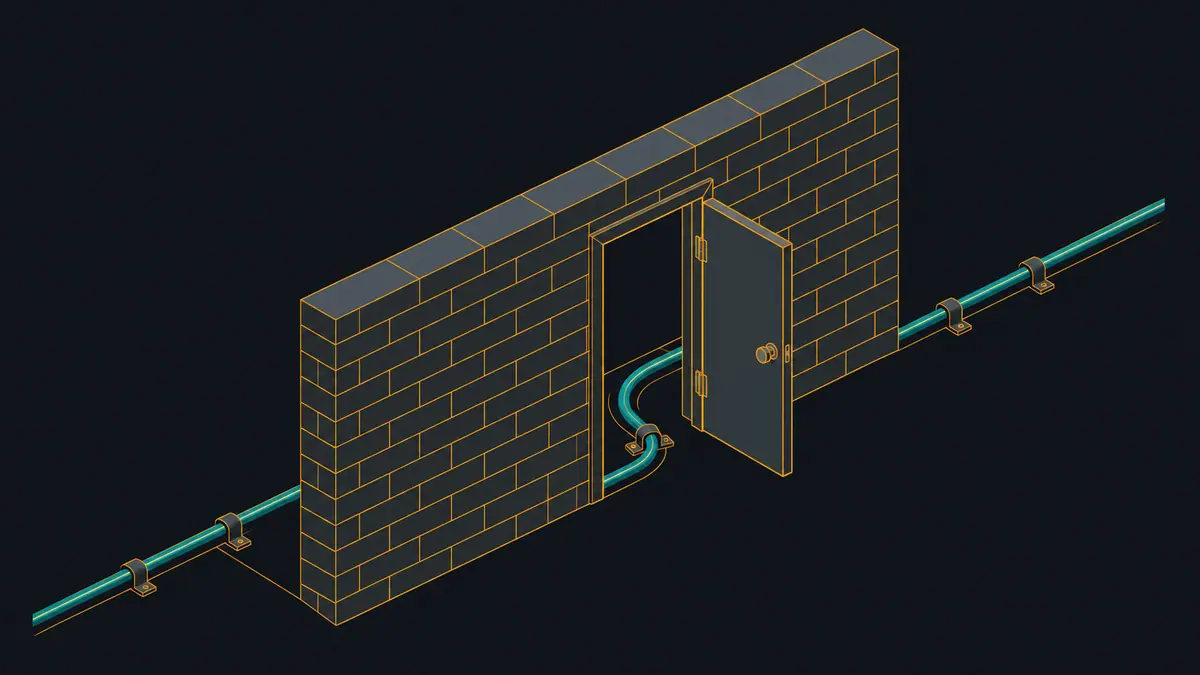
UFW did not protect a Docker-published port in this test. Everything below comes from one disposable Ubuntu 24.04 VM with UFW enabled, default deny incoming, and only SSH allowed. The “outside client” is curl on the host, which QEMU forwards to the guest’s ens3 interface (10.0.2.15), so the packets arrive the way a remote client’s would. The guest sees the client as 10.0.2.2.
What was reachable
| ID | Setup | From the host via QEMU forward | From inside the guest, via 127.0.0.1 |
|---|---|---|---|
| A0 | Host process on 0.0.0.0:8080, UFW inactive (control) | reachable (HTTP 200 x3) | yes |
| A1 | Host process on 0.0.0.0:8080, UFW active, default deny incoming | blocked (no HTTP 200 in 3 tries) | yes |
| B1 | Container -p 8080:80, UFW active, default deny incoming | reachable (HTTP 200 x3) | yes |
| B1b | B1 plus 'ufw deny 8080/tcp' and 'ufw deny 80/tcp' | reachable (HTTP 200 x3) | yes |
| B4 | Container -p 8080:80 plus 'ufw route deny proto tcp to any port 80' | reachable (HTTP 200 x3) | yes |
| B2 | Container -p 127.0.0.1:8080:80, UFW active | blocked (no HTTP 200 in 3 tries) | yes |
| C1 | DOCKER-USER: drop -i ens3 tcp --dport 8080 (the published port) | reachable (HTTP 200 x3) | yes |
| C2 | DOCKER-USER: drop -i ens3 tcp --dport 80 (the container port) | blocked (no HTTP 200 in 3 tries) | yes |
| C3 | DOCKER-USER: drop -i ens3 conntrack --ctorigdstport 8080 --ctdir ORIGINAL | blocked (no HTTP 200 in 3 tries) | yes |
| C4 | DOCKER-USER: drop -i ens3 ! -s 203.0.113.7 (allowlist of another IP) | blocked (no HTTP 200 in 3 tries) | yes |
| C5 | DOCKER-USER: drop -i ens3 ! -s 10.0.2.2 (allowlist of the QEMU gateway, the client address the guest sees) | reachable (HTTP 200 x3) | yes |
| D1 | DOCKER-USER jumps to ufw-user-forward then drops; no 'ufw route allow' rule | blocked (no HTTP 200 in 3 tries) | yes |
| D2 | D1 plus 'ufw route allow proto tcp to any port 80' | reachable (HTTP 200 x3) | yes |
| D3 | D2 after 'ufw route delete allow ...' | blocked (no HTTP 200 in 3 tries) | yes |
| F1 | daemon.json {"iptables": false} after reboot, container -p 8080:80, UFW active | blocked (no HTTP 200 in 3 tries) | yes |
Host curl to 127.0.0.1:18311 is forwarded by QEMU to the guest's primary interface address; the guest sees the client as 10.0.2.2. 3 attempts per row, 4 s timeout. VM 4 vCPU, 3 GB.
Read the table in three groups.
The bypass. Row A1 is the control: a plain python3 -m http.server 8080 process was blocked by UFW. Row B1 is the same port, published by Docker as -p 8080:80, and it answered 3 of 3 requests. Adding ufw deny 8080/tcp and ufw deny 80/tcp (B1b) changed nothing, and neither did ufw route deny ... port 80 (B4). The Docker docs state the cause: Docker and ufw use firewall rules in ways that make them incompatible, and traffic to a published port is routed before ufw’s input rules see it (Docker docs).
Fixes that held.
- Bind to loopback (B2):
-p 127.0.0.1:8080:80was unreachable from the host-side client and still worked from inside the guest. This only helps when something else on the same machine (a reverse proxy) is the public entry point. - DOCKER-USER, matching the original port (C3):
-m conntrack --ctorigdstport 8080 --ctdir ORIGINAL -j DROPblocked the published port. - DOCKER-USER, matching the container port (C2):
--dport 80also blocked it, because DOCKER-USER sees the packet after DNAT (our reading of C1 against C2 and C3; the Docker page cited above does not describe the chain). It would block port 80 on every published mapping that targets a container port 80. - Source allowlist (C4, C5):
! -s 203.0.113.7 -j DROPblocked this client;! -s 10.0.2.2 -j DROPlet it through. The rule works as an allowlist. - UFW routing wired into DOCKER-USER (D1 to D3): with a jump from DOCKER-USER to
ufw-user-forward, a final DROP, and no route rule, the port was blocked;ufw route allow proto tcp to any port 80opened it; deleting that rule closed it again. This wiring is our own minimal construction for the test, not the ufw-docker project and not something UFW does by itself.
Fixes that did not hold. C1 dropped --dport 8080 in DOCKER-USER and the port stayed open: by that point the destination port has apparently already been rewritten to 80, which is what C1 against C2 suggests. This is the easy mistake.
What went wrong or surprised
- With
{"iptables": false}indaemon.json(F1, tested after a reboot so no earlier rules lingered), the published port was blocked.docker-proxywas listening on0.0.0.0:8080(raw/state-F1.txt), so UFW’s input rules probably applied, but no Docker NAT or forward rules existed either and the test did not run the same setup with UFW off to separate the two. The container could no longer resolve names:wget: bad address 'archive.ubuntu.com'(seeraw/F1-container-outbound.txt). That setting trades the bypass for broken container networking unless you add your own NAT. - Three earlier runs of the script were discarded: one hung on a backgrounded process holding the SSH session, one found a leftover Python server on port 8080 (so the container never started), and one tested
iptables: falseafter a daemon restart instead of a reboot. The script now checks for a busy port after every reset and reboots before theiptables: falsecase.
Raw rules
Docker’s rules for the -p 8080:80 container, from raw/state-B1.txt. The first four lines are iptables -S FORWARD (filter table), the two -A DOCKER ... --dport 80 and DROP lines are iptables -S DOCKER (filter), the DNAT line is iptables -t nat -S DOCKER, and the last line is ss -ltnp:
-A FORWARD -j DOCKER-USER
-A FORWARD -j DOCKER-FORWARD
-A FORWARD -j ufw-before-logging-forward
-A FORWARD -j ufw-before-forward
...
-A DOCKER -d 172.17.0.2/32 ! -i docker0 -o docker0 -p tcp -m tcp --dport 80 -j ACCEPT
-A DOCKER ! -i docker0 -o docker0 -j DROP
-A DOCKER ! -i docker0 -p tcp -m tcp --dport 8080 -j DNAT --to-destination 172.17.0.2:80
LISTEN 0.0.0.0:8080  users:(("docker-proxy",pid=3029,fd=8))
The same state in nft form (raw/nft-B1-container-published.txt), where iptables-nft warns that these tables are managed by iptables:
table ip nat {
	chain DOCKER {
		iifname != "docker0" tcp dport 8080 counter packets 3 bytes 132 dnat to 172.17.0.2:80
	}
	chain PREROUTING {
		type nat hook prerouting priority dstnat; policy accept;
		fib daddr type local counter packets 30 bytes 1320 jump DOCKER
FORWARD jumps to DOCKER-USER and DOCKER-FORWARD before any ufw-* forward chain, which matches what the table shows: ufw’s forward rules never get a say. The working DOCKER-USER rule from C3:
-A DOCKER-USER -i ens3 -p tcp -m conntrack --ctorigdstport 8080 --ctdir ORIGINAL -j DROP
-A DOCKER-USER -j RETURN
Reproduce it
The test script boots a fresh VM, runs every row three times and writes the table above plus the per-row firewall state to evidence/tests/docker-ufw/raw/.
Show the full file
#!/usr/bin/env bash
# docker-ufw: which services are reachable from "outside" (the host, via QEMU forward into guest eth0) with UFW active.
set -uo pipefail
source "$(dirname "$0")/../_lib.sh"
T=docker-ufw; OUT="$ROOT/evidence/tests/$T"; RAW="$OUT/raw"; rm -rf "$OUT"; mkdir -p "$RAW"
start_vm a-$T
TSV="$RAW/results.tsv"; : > "$TSV"
DEV="$(gx "ip -o -4 route show default | awk '{print \$5}'")"; IP="$(gx "ip -o -4 addr show dev $DEV | awk '{print \$4}' | cut -d/ -f1")"
echo "dev=$DEV ip=$IP" > "$RAW/guest-net.txt"
# probe <id> <description>: 3 curls from the host to 127.0.0.1:$LAB_HTTP_PORT (forwarded to guest $IP:8080)
probe() {
  local id="$1" desc="$2" r=""
  for i in 1 2 3; do
    c="$(curl -s -m 4 -o /dev/null -w '%{http_code}' "http://127.0.0.1:$LAB_HTTP_PORT/" 2>/dev/null)"; rc=$?
    r+="${c:-000}/rc$rc "
  done
  local lc; lc="$(gx 'curl -s -m 4 -o /dev/null -w "%{http_code}" http://127.0.0.1:8080/ 2>/dev/null; true')"
  printf '%s\t%s\t%s\t%s\n' "$id" "$desc" "$r" "${lc:-000}" >> "$TSV"
  echo "$id: $r local=$lc"
}
snap() { # snap <id>: firewall state for the raw record
  gx "{ echo '## ufw status'; sudo ufw status verbose; echo '## iptables -S FORWARD'; sudo iptables -S FORWARD; echo '## iptables -S DOCKER-USER'; sudo iptables -S DOCKER-USER; echo '## iptables -S DOCKER'; sudo iptables -S DOCKER; echo '## nat DOCKER'; sudo iptables -t nat -S DOCKER; echo '## ufw-user-forward'; sudo iptables -S ufw-user-forward; echo '## listening'; sudo ss -ltnp | grep -E ':(8080|22) '; }" > "$RAW/state-$1.txt" 2>&1
}
reset() {
  gx 'docker rm -f web >/dev/null 2>&1; sudo pkill -f "[h]ttp.server 8080" 2>/dev/null; sudo iptables -F DOCKER-USER; sudo iptables -A DOCKER-USER -j RETURN; sudo ufw --force reset >/dev/null; sudo ufw default deny incoming >/dev/null; sudo ufw default allow outgoing >/dev/null; sudo ufw allow 22/tcp >/dev/null; sudo ufw --force enable >/dev/null; sleep 1; ss -ltn | grep -q :8080 && echo PORT-STILL-BUSY; true' >> "$RAW/reset.log" 2>&1
}
run_web() { gx "docker run -d --name web $1 nginx:alpine >/dev/null && sleep 2"; }
gx 'docker pull -q nginx:alpine >/dev/null; docker run --rm nginx:alpine nginx -v 2>&1; iptables -V; sudo ufw version | head -1; docker version --format "{{.Server.Version}}"; grep -E "^DEFAULT_FORWARD_POLICY|^IPV6" /etc/default/ufw; docker info --format "firewall backend: {{.FirewallBackend}}" 2>&1' > "$RAW/versions.txt" 2>&1
gx 'sudo ufw status' > "$RAW/ufw-before.txt" 2>&1
gx 'sudo nft list ruleset | head -c 200000' > "$RAW/nft-baseline-no-containers.txt" 2>&1

# A: non-Docker service
gx 'sudo ufw disable >/dev/null; setsid -f python3 -m http.server 8080 --directory /tmp </dev/null >/dev/null 2>&1; sleep 2'
probe A0 "Host process on 0.0.0.0:8080, UFW inactive (control)"
reset; gx 'setsid -f python3 -m http.server 8080 --directory /tmp </dev/null >/dev/null 2>&1; sleep 2'; snap A1
probe A1 "Host process on 0.0.0.0:8080, UFW active, default deny incoming"
reset
# B: container
run_web "-p 8080:80"; snap B1
probe B1 "Container -p 8080:80, UFW active, default deny incoming"
gx 'sudo nft list ruleset' > "$RAW/nft-B1-container-published.txt" 2>&1
gx 'sudo ufw deny 8080/tcp >/dev/null; sudo ufw deny 80/tcp >/dev/null'; snap B1b
probe B1b "B1 plus 'ufw deny 8080/tcp' and 'ufw deny 80/tcp'"
reset; gx 'sudo ufw route deny proto tcp from any to any port 80 >/dev/null'; run_web "-p 8080:80"; snap B4
probe B4 "Container -p 8080:80 plus 'ufw route deny proto tcp to any port 80'"
reset; run_web "-p 127.0.0.1:8080:80"; snap B2
probe B2 "Container -p 127.0.0.1:8080:80, UFW active"
# C: DOCKER-USER
reset; run_web "-p 8080:80"
gx "sudo iptables -I DOCKER-USER -i $DEV -p tcp --dport 8080 -j DROP"; snap C1
probe C1 "DOCKER-USER: drop -i $DEV tcp --dport 8080 (the published port)"
gx "sudo iptables -F DOCKER-USER; sudo iptables -A DOCKER-USER -j RETURN; sudo iptables -I DOCKER-USER -i $DEV -p tcp --dport 80 -j DROP"; snap C2
probe C2 "DOCKER-USER: drop -i $DEV tcp --dport 80 (the container port)"
gx "sudo iptables -F DOCKER-USER; sudo iptables -A DOCKER-USER -j RETURN; sudo iptables -I DOCKER-USER -i $DEV -p tcp -m conntrack --ctorigdstport 8080 --ctdir ORIGINAL -j DROP"; snap C3
probe C3 "DOCKER-USER: drop -i $DEV conntrack --ctorigdstport 8080 --ctdir ORIGINAL"
gx "sudo iptables -F DOCKER-USER; sudo iptables -A DOCKER-USER -j RETURN; sudo iptables -I DOCKER-USER -i $DEV ! -s 203.0.113.7 -j DROP"; snap C4
probe C4 "DOCKER-USER: drop -i $DEV ! -s 203.0.113.7 (allowlist of another IP)"
gx "sudo iptables -F DOCKER-USER; sudo iptables -A DOCKER-USER -j RETURN; sudo iptables -I DOCKER-USER -i $DEV ! -s 10.0.2.2 -j DROP"; snap C5
probe C5 "DOCKER-USER: drop -i $DEV ! -s 10.0.2.2 (allowlist of the QEMU gateway, the client address the guest sees)"
# D: ufw route wired into DOCKER-USER
gx "sudo iptables -F DOCKER-USER; sudo iptables -A DOCKER-USER -j RETURN
sudo iptables -I DOCKER-USER 1 -i $DEV -j DROP
sudo iptables -I DOCKER-USER 1 -i $DEV -j ufw-user-forward
sudo iptables -I DOCKER-USER 1 -i $DEV -m conntrack --ctstate RELATED,ESTABLISHED -j RETURN"; snap D1
probe D1 "DOCKER-USER jumps to ufw-user-forward then drops; no 'ufw route allow' rule"
gx 'sudo ufw route allow proto tcp from any to any port 80 >/dev/null'; snap D2
probe D2 "D1 plus 'ufw route allow proto tcp to any port 80'"
gx 'sudo ufw route delete allow proto tcp from any to any port 80 >/dev/null'; snap D3
probe D3 "D2 after 'ufw route delete allow ...'"
# F: daemon.json iptables=false. Reboot first: a daemon restart leaves the rules Docker already created in place.
reset; gx 'docker rm -f web >/dev/null 2>&1; echo "{\"iptables\": false}" | sudo tee /etc/docker/daemon.json >/dev/null; sudo systemctl enable ufw >/dev/null 2>&1; (sleep 1; sudo reboot) </dev/null >/dev/null 2>&1 &'
sleep 20; for _ in $(seq 1 60); do gx true 2>/dev/null && break; sleep 3; done; gx 'sleep 10; sudo ufw status | head -1'
gx 'sudo iptables -S | grep -c DOCKER; true' > "$RAW/F1-docker-rules-after-reboot.txt" 2>&1
run_web "-p 8080:80"; snap F1
probe F1 "daemon.json {\"iptables\": false} after reboot, container -p 8080:80, UFW active"
gx 'docker exec web wget -q -T 5 -O /dev/null http://archive.ubuntu.com/ 2>&1; echo "container outbound exit=$?"' > "$RAW/F1-container-outbound.txt" 2>&1
collect_env "$OUT"
python3 "$ROOT/lab/tests/$T/summarize.py" "$RAW" "$OUT"
To apply the DOCKER-USER fix on a real server, find your public interface (ip -o -4 route show default), then:
sudo iptables -I DOCKER-USER -i eth0 -p tcp -m conntrack --ctorigdstport 8080 --ctdir ORIGINAL -j DROPReplace eth0 and 8080 with the interface and the host port you published. Check from a second machine; the test did the equivalent with curl from outside the VM.
What this test did not cover
Sources and how this was made
- Docker docs: Packet filtering and firewalls (Docker and ufw)
- Docker docs: Port publishing and mapping
How this page was made: the commands above were run by an AI agent on the test box on November 1, 2026, and the same agent drafted this text from the saved output. The site's owner reviewed the site before publication. Test method and editorial policy explain how results are checked, and what is not. Spotted an error? Tell us.