ZFS mirror disk failure: offline, dd corruption, replace
Tested on OpenZFS (Ubuntu zfsutils-linux) 2.2.2-0ubuntu9.5
Test result
On a two-disk ZFS mirror (OpenZFS 2.2.2 from Ubuntu's packages), taking a disk offline, overwriting 256 MiB of one side with random bytes, and replacing a faulted disk all ended with every file matching its SHA-256 in 6 of 6 runs. Scrub repaired 127 MiB to 129 MiB of damage at 4 GiB of data, and replacing the disk took a median of 10.8 s for 4 GiB. This simulates failures with virtual disks; it is not a test of real disk failure.
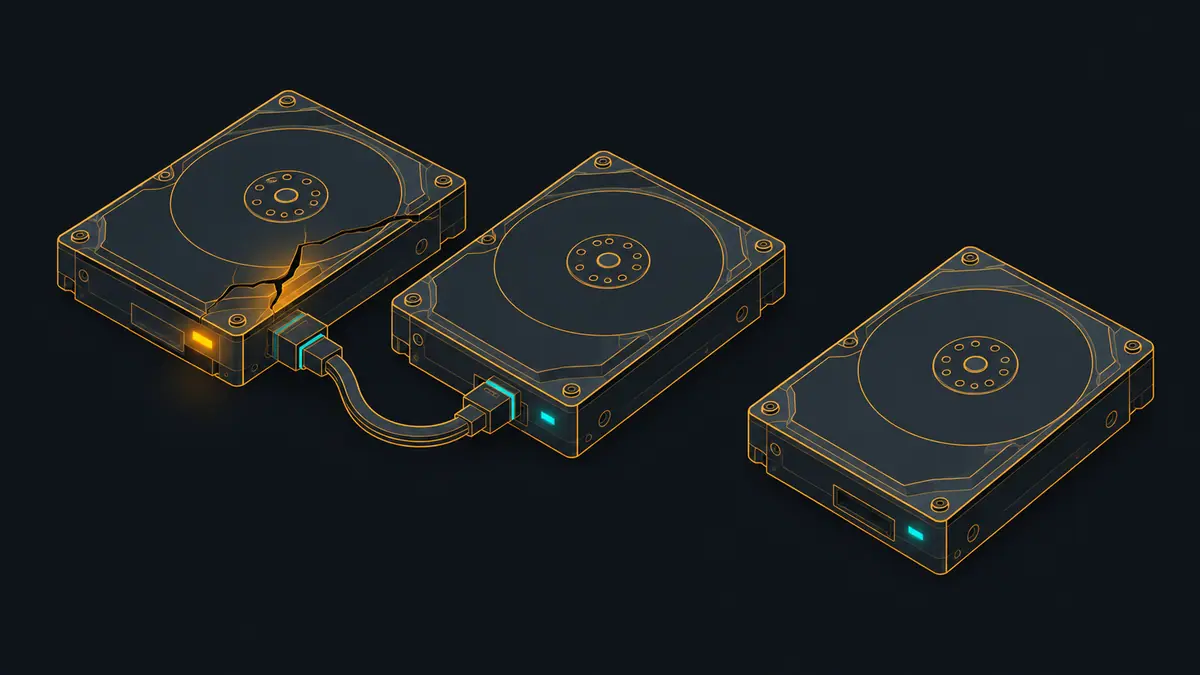
A mirror protects you when a disk dies or when one copy of a block goes bad, and the way to trust it is to break one on purpose and read everything back. This test did that three ways on a two-disk mirror, with checksummed data at two sizes, and kept the zpool status output at each stage.
Read the limits first: the “disks” are files on a shared host exposed as virtual drives. Nothing here involves a drive that stalls, returns wrong data on its own, or fails under heat. It exercises ZFS’s handling of an offline device, of damaged blocks, and of replacement, and no more.
What was built
A pool named tank with one mirror vdev of /dev/vdb and /dev/vdc (8 GiB each, ashift=12), one dataset tank/data, and either 1 GiB or 4 GiB of data: 512 or 2,048 files of 2 MiB of seeded random bytes. The expected SHA-256 of every file is computed from the seed, not read from the pool, so a wrong block cannot hide behind a matching copy. Before every verification the pool was exported and imported to empty the cache, then every file was hashed. Each size was run three times on a fresh pool. The VM had 4 vCPU and 3 GB of RAM.
Each run went through the same stages on the same pool:
- A, planned offline.
zpool offlineonvdc, write 10% more data while degraded, verify, thenzpool onlineand wait for the resilver. - B, corruption. Export the pool, overwrite 256 MiB of
vdcstarting 128 MiB in withdd if=/dev/urandom ... conv=notrunc, import, read every file, scrub, clear errors, scrub again. - C, failed disk.
zpool offline -fonvdc(faulted), thenzpool replace tank vdc vddonto a blank third disk, wait for the resilver, scrub, verify.
Times
| Data | Pool allocated | Resilver after offline/online (10% new data written while degraded) | Resilver after zpool replace onto a blank disk | Scrub after dd corruption (256 MiB) | Scrub of a healthy pool | Checksums verified: baseline / degraded / after dd / after replace |
|---|---|---|---|---|---|---|
| 1 GiB | 1.08 GB | 0.5 s (0.5-0.8) | 2.2 s (0.9-3.5) | 0.4 s (0.4-0.6) | 0.4 s (0.3-0.4) | 3/3 / 3/3 / 3/3 / 3/3 |
| 4 GiB | 4.31 GB | 1.4 s (1.3-1.9) | 10.8 s (5.2-14.0) | 1.9 s (1.8-2.1) | 1.4 s (1.3-1.5) | 3/3 / 3/3 / 3/3 / 3/3 |
Median (min-max) of 3 runs per size, each on a fresh pool. Times from zpool wait / scrub -w measured on the host. All files compared with SHA-256 values computed from the seed, after an export/import to empty the cache. Virtual disks: times say nothing about real drives.
The resilver after replacing a disk is the slow one because it copies all the allocated data onto the blank disk (4.44G at 4 GiB, from an 8 GiB disk), whereas bringing a briefly offlined disk back only copies what changed in the meantime (the 10% written while degraded). The replacement runs ranged from 5.2 to 14.0 s at 4 GiB, which is a wide spread for identical work on a host that was busy with other jobs when the test started (load average 11.18, 9.89 and 7.36 in raw/env-host.txt; the VM disks were qcow2 overlays on the host’s RAID with cache=none). Treat the median as a rough scale only. All times come from the host clock around zpool wait or zpool scrub -w.
The status output at each stage
| Stage | Pool state | Devices | scan line |
|---|---|---|---|
| Healthy | ONLINE | vdb ONLINE (R/W/CKSUM 0/0/0); vdc ONLINE (R/W/CKSUM 0/0/0) | n/a |
| A: disk offlined | DEGRADED | vdb ONLINE (R/W/CKSUM 0/0/0); vdc OFFLINE (R/W/CKSUM 0/0/0) | n/a |
| A: after online | ONLINE | vdb ONLINE (R/W/CKSUM 0/0/0); vdc ONLINE (R/W/CKSUM 0/0/0) | scan: resilvered 413M in 00:00:01 with 0 errors on Sun Nov 1 19:34:38 2026 |
| B: imported after dd | ONLINE | vdb ONLINE (R/W/CKSUM 0/0/0); vdc ONLINE (R/W/CKSUM 0/0/0) | scan: resilvered 413M in 00:00:01 with 0 errors on Sun Nov 1 19:34:38 2026 |
| B: after reading all files | ONLINE | vdb ONLINE (R/W/CKSUM 0/0/0); vdc ONLINE (R/W/CKSUM 0/0/0) | scan: resilvered 413M in 00:00:01 with 0 errors on Sun Nov 1 19:34:38 2026 |
| B: after scrub | ONLINE | vdb ONLINE (R/W/CKSUM 0/0/0); vdc ONLINE (R/W/CKSUM 0/0/1.05K) | scan: scrub repaired 127M in 00:00:02 with 0 errors on Sun Nov 1 19:34:50 2026 |
| B: scrub after zpool clear | ONLINE | vdb ONLINE (R/W/CKSUM 0/0/0); vdc ONLINE (R/W/CKSUM 0/0/0) | scan: scrub repaired 0B in 00:00:01 with 0 errors on Sun Nov 1 19:34:51 2026 |
| C: disk faulted | DEGRADED | vdb ONLINE (R/W/CKSUM 0/0/0); vdc FAULTED (R/W/CKSUM 0/0/0) external device fault | scan: scrub repaired 0B in 00:00:01 with 0 errors on Sun Nov 1 19:34:51 2026 |
| C: after zpool replace | DEGRADED | vdb ONLINE (R/W/CKSUM 0/0/0); replacing-1 DEGRADED (R/W/CKSUM 0/0/0); vdc FAULTED (R/W/CKSUM 0/0/0) external device fault; vdd ONLINE (R/W/CKSUM 0/0/0) | scan: resilvered 4.44G in 00:00:10 with 0 errors on Sun Nov 1 19:35:02 2026 |
| C: final scrub | ONLINE | vdb ONLINE (R/W/CKSUM 0/0/0); vdd ONLINE (R/W/CKSUM 0/0/0) | scan: scrub repaired 0B in 00:00:02 with 0 errors on Sun Nov 1 19:35:04 2026 |
Excerpts of raw/status-4-1-*.txt; full outputs are in raw/.
Complete zpool status -v text for every stage and run is in raw/status-*.txt. Things worth seeing in it:
- Offline:
DEGRADED,vdc OFFLINE, “Sufficient replicas exist for the pool to continue functioning in a degraded state.” Reads kept working and all 2,252 files still verified at 4 GiB. - Online: after
zpool online, the pool returned toONLINEwith a “resilvered” line for only the changed data (413M in the 4 GiB run 1, against 4.44G for the full disk replacement). - After dd: the pool imported as
ONLINEwith zero errors. Reading every file back returned correct data and did not raise any checksum counter either (status stage B2). We did not examine why; a plausible reading is that the read-all was served from the undamaged side. Only the scrub found the damage. - Scrub:
scrub repaired 127M ... with 0 errorsin 4 GiB run 1 (127M to 129M across the three 4 GiB runs, 52.0M to 67.5M at 1 GiB), with the damaged device showing a CKSUM count of 1.05K in run 1 and the pool saying “One or more devices has experienced an unrecoverable error. An attempt was made to correct the error. Applications are unaffected.” The amount repaired is less than the 256 MiB overwritten; a likely reason is that part of that range held no allocated data, but the test did not measure which blocks the range covered. Afterzpool clear, a second scrub repaired 0B. - Faulted and replaced:
FAULTED ... external device fault, then areplacing-1entry with bothvdcandvddwhile resilvering. The status captured right afterzpool waitstill showed the old device in thereplacing-1group, so the pool wasDEGRADEDfor a moment more; the final scrub’s status showsvdbandvddas a cleanONLINEmirror.
By the zpool-scrub man page, a scrub on a mirror repairs damage it finds, and zpool-replace works by attaching the new device, resilvering and detaching the old one, which matches what the status output showed.
Reproduce it
Show the full file
#!/usr/bin/env bash
# Runs in the VM. Three raw virtual disks (vdb, vdc, vdd): the mirror is vdb+vdc (the mirror) and zmC (the blank replacement).
set -u
sudo mkdir -p /srv/zmraw; sudo chown lab:lab /srv/zmraw; RAW=/srv/zmraw; cd /srv/work
dA=/dev/vdb; dB=/dev/vdc; dC=/dev/vdd
now() { date +%s%3N; }
rec() { echo "$SZ $REP $1 $2" >> $RAW/values.txt; }
st() { { echo "### $SZ GiB rep $REP stage: $1  ($(date +%T))"; sudo zpool status -v tank; } > $RAW/status-$SZ-$REP-$1.txt 2>&1; }
verify() { # verify <label> : export/import to drop cached data, then hash everything and compare with the seed-derived expectation
  sudo zpool export tank && sudo zpool import tank
  (cd /tank/data && sha256sum ./*.bin | LC_ALL=C sort -k2) > $RAW/got-$SZ-$REP.txt 2>$RAW/verify-err-$SZ-$REP.txt
  cat $RAW/exp-$SZ.txt $( [ -f $RAW/exp-extra-$SZ.txt ] && [ "$2" = extra ] && echo $RAW/exp-extra-$SZ.txt ) | LC_ALL=C sort -k2 > $RAW/want-$SZ-$REP.txt
  if cmp -s $RAW/got-$SZ-$REP.txt $RAW/want-$SZ-$REP.txt; then rec verify_$1 OK; else rec verify_$1 MISMATCH; diff $RAW/got-$SZ-$REP.txt $RAW/want-$SZ-$REP.txt | head -5 > $RAW/diff-$SZ-$REP-$1.txt; fi
  rec verify_${1}_files $(wc -l < $RAW/got-$SZ-$REP.txt)
}
wait_resilver() { sleep 0.3; sudo zpool wait -t resilver tank; }
for SZ in 1 4; do
 FILES=$((SZ*512)); EXTRA=$((FILES/10))
 python3 zgen.py expect 1 $FILES a > $RAW/exp-$SZ.txt
 python3 zgen.py expect 2 $EXTRA x > $RAW/exp-extra-$SZ.txt
 for REP in 1 2 3; do
  echo "=== $SZ GiB rep $REP $(date +%T)" >> $RAW/progress.txt
  sudo zpool destroy -f tank 2>/dev/null; for d in $dA $dB $dC; do sudo zpool labelclear -f ${d}1 2>/dev/null; sudo wipefs -aq $d; done
  sudo zpool create -f -o ashift=12 -m /tank tank mirror $dA $dB && sudo zfs create tank/data && sudo chown lab:lab /tank/data || { echo "create failed" >> $RAW/progress.txt; continue; }
  python3 zgen.py gen /tank/data 1 $FILES a; sync; sudo zpool sync tank
  rec data_files $FILES; rec data_bytes_logical $((FILES*2*1048576)); rec pool_alloc_bytes $(zpool list -Hp -o allocated tank)
  st 0-healthy; verify baseline base
  # ---- A: planned offline, write while degraded, online -> resilver of the delta
  sudo zpool offline tank $dB; st A1-offline-degraded
  python3 zgen.py gen /tank/data 2 $EXTRA x; sync; sudo zpool sync tank; rec extra_files $EXTRA
  verify A_degraded extra
  s=$(now); sudo zpool online tank $dB; wait_resilver; e=$(now); rec resilver_online_ms $((e-s)); st A2-after-online-resilver
  # ---- B: corrupt one side with dd while the pool is exported, then self-heal
  sudo zpool export tank; sudo dd if=/dev/urandom of=$dB bs=1M seek=128 count=256 conv=notrunc oflag=direct status=none; sudo zpool import tank; st B1-imported-after-dd
  verify B_read_after_dd extra; st B2-after-read-selfheal
  s=$(now); sudo zpool scrub -w tank; e=$(now); rec scrub_after_dd_ms $((e-s)); st B3-after-scrub
  sudo zpool clear tank; s=$(now); sudo zpool scrub -w tank; e=$(now); rec scrub_clean_ms $((e-s)); st B4-second-scrub-after-clear
  # ---- C: fault the disk, replace with a blank one
  sudo zpool offline -f tank $dB; st C1-faulted
  s=$(now); sudo zpool replace tank $dB $dC; wait_resilver; e=$(now); rec resilver_replace_ms $((e-s)); st C2-after-replace
  sudo zpool scrub -w tank; st C3-final-scrub
  verify C_after_replace extra
  rec final_pool_alloc_bytes $(zpool list -Hp -o allocated tank)
 done
done
{ grep -E '^(size|c_max) ' /proc/spl/kstat/zfs/arcstats; } > $RAW/arcstats.txt
echo finished >> $RAW/progress.txt
The core commands, from the script:
zpool create -f -o ashift=12 -m /tank tank mirror /dev/vdb /dev/vdc
zfs create tank/data

zpool offline tank /dev/vdc ; zpool online tank /dev/vdc ; zpool wait -t resilver tank

zpool export tank
dd if=/dev/urandom of=/dev/vdc bs=1M seek=128 count=256 conv=notrunc oflag=direct
zpool import tank ; zpool scrub -w tank ; zpool clear tank ; zpool scrub -w tank

zpool offline -f tank /dev/vdc
zpool replace tank /dev/vdc /dev/vdd ; zpool wait -t resilver tank
What went wrong
Two script bugs surfaced before the final run, both in the harness and neither in ZFS: a qemu option that refused to boot with a serial-number device syntax, and a raw output directory that needed sudo to create. After fixing them the run completed on the first full pass; no result was discarded.
What this test did not cover
- Real disk failure modes: a drive that disappears from the bus, slows down, returns read errors intermittently or silently returns wrong data. The failure here was a clean
zpool offline, a clean-ffault, and a corruption written while the pool was exported. - Corruption on a live pool. The
ddran while the pool was exported so the damage would not be hidden by cached data; that is not how a real failure arrives. - Data sizes above 4 GiB, so resilver time for real disks (hundreds of GB to TB) is unknown. Do not extrapolate from these seconds.
- Metadata or label damage, RAIDZ, hot spares,
zpool replace -s(sequential rebuild), and replacement with a larger or smaller disk. - Memory pressure: the ARC was left at its default on a 3 GB VM and no run measured its effect.
- A mirror’s backup role. A mirror protects against a disk failing, not against deletion, ransomware or a bad write that is faithfully mirrored; for that, see the snapshot and backup guides.
Sources and how this was made
Show the full file
#!/usr/bin/env bash
# Test zfs-mirror: two-disk ZFS mirror on virtual disks, offline, dd corruption + scrub, zpool replace.
set -uo pipefail
source "$(dirname "$0")/../_common/lib.sh"
ID=zfs-mirror; NAME=c-$ID; D="$ROOT/lab/tests/$ID"; E="$ROOT/evidence/tests/$ID"; RAW="$E/raw"
DK=(); for n in A B C; do DK+=("$LABDIR/c-$ID-$n.raw"); done
rm -rf "$RAW"; mkdir -p "$RAW"
trap 'vm down $NAME; rm -f "${DK[@]}"' EXIT
host_env "$RAW"
ARGS=(); i=0; for n in A B C; do qemu-img create -q -f raw "${DK[$i]}" 8G; ARGS+=(-drive "file=${DK[$i]},if=virtio,format=raw,cache=none"); i=$((i+1)); done
vm up $NAME "${ARGS[@]}" || exit 1
gssh 'sudo apt-get install -y -qq zfsutils-linux >/dev/null 2>&1; sudo mkdir -p /srv/work && sudo chown lab:lab /srv/work; sudo modprobe zfs; zfs version; lsblk -d -o NAME,SIZE,SERIAL' > "$RAW/setup.txt" 2>&1
cat "$RAW/setup.txt"
vm scp-to "$D/zgen.py" /srv/work/; vm scp-to "$D/guest.sh" /srv/work/
gssh 'bash /srv/work/guest.sh' > "$RAW/guest-stdout.txt" 2>&1
vm scp-from /srv/zmraw/. "$RAW/"
guest_env "$RAW" 'zfs version'
python3 "$D/summarize.py" "$RAW" "$E"- OpenZFS man page: zpool-scrub(8)
- OpenZFS man page: zpool-replace(8)
- OpenZFS man page: zpool-offline(8)
How this page was made: the commands above were run by an AI agent on the test box on November 1, 2026, and the same agent drafted this text from the saved output. The site's owner reviewed the site before publication. Test method and editorial policy explain how results are checked, and what is not. Spotted an error? Tell us.