ZFS vs Btrfs snapshots: cost, rollback, send/receive
Tested on OpenZFS (Ubuntu zfsutils-linux) 2.2.2-0ubuntu9.5
Test result
Both filesystems took a snapshot of a 5 GiB tree in well under a second even during a 4k random-write load (median 325 ms for ZFS, 173 ms for Btrfs), and a snapshot held about 537 MB when 255 of 2,048 files were overwritten or deleted. The practical differences were behavioral: zfs rollback -r is a single command that destroys newer snapshots, Btrfs's subvolume documentation lists no rollback command (the test deleted the subvolume and snapshotted the base instead), and that deletion left 5 to 12 s of background cleanup (median 11 s).
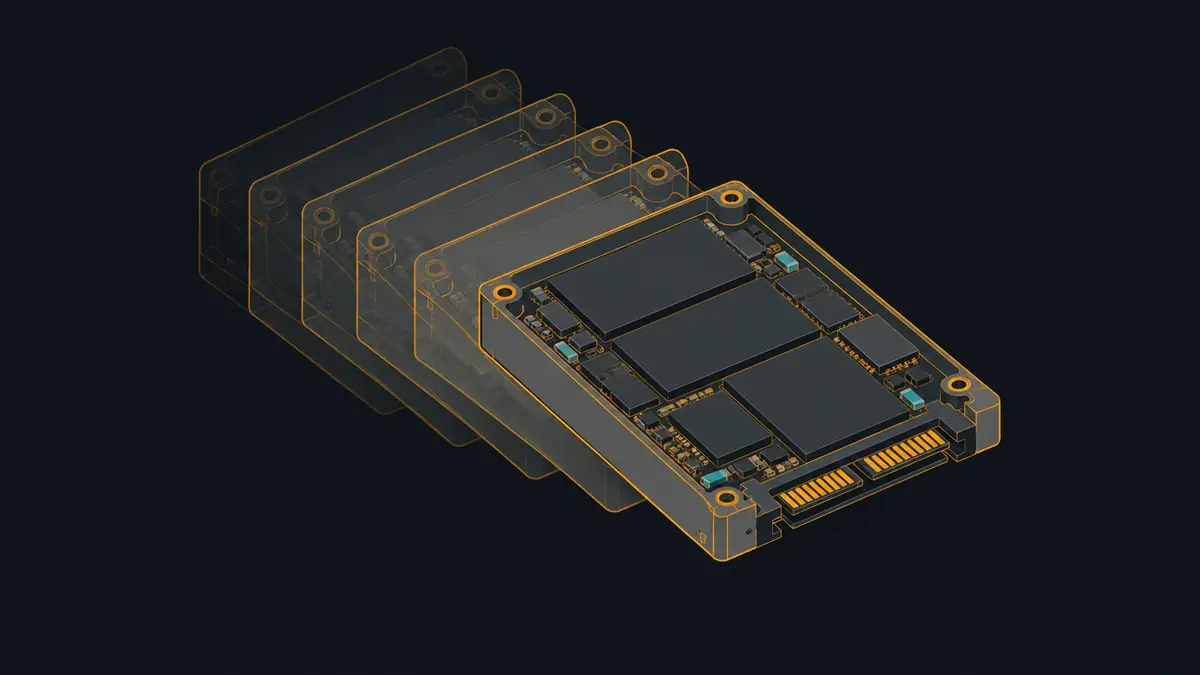
This test compares what snapshots cost and how rollback and replication behave, using ZFS from Ubuntu’s own packages and Btrfs, on the same two virtual disks. It does not say which filesystem is faster. Every disk here is a file on a shared host behind a virtual controller, so the throughput numbers cannot be transferred to real drives; the relative costs and the behaviors can be.
Setup
- Disk A (12 GiB, virtual) holds the tree under test; disk B (12 GiB, virtual) is the replication target, a second pool for ZFS and a second Btrfs filesystem for Btrfs. The VM had 4 vCPU and 3 GB of RAM.
- The tree: 2,048 files of 2 MiB of seeded random bytes (4 GiB), plus a 1 GiB file used for the write load. No compression option was set on either.
- The change set: 205 files (10%) overwritten in place, 50 files deleted, 50 new files of the same size.
- Each filesystem was rebuilt from scratch for each of 3 repetitions.
ZFS used one dataset in a one-disk pool (zpool create, then zfs create zA/data). Btrfs used a subvolume (btrfs subvolume create /mnt/a/data) and read-only snapshots under /mnt/a/snaps.
Time per operation
| Operation | ZFS | Btrfs |
|---|---|---|
| Create snapshot, idle | 44 ms (21-78, n=9) | 18 ms (13-76, n=9) |
| Create snapshot during 4k random-write load | 325 ms (216-524, n=9) | 173 ms (117-614, n=9) |
| Full send/receive of the 5 GiB base snapshot to the second pool | 7054 ms (6759-7803, n=3) | 12848 ms (12671-23118, n=3) |
| Incremental send/receive after the change set | 1109 ms (950-1359, n=3) | 1369 ms (1315-2764, n=3) |
| Roll back to the base snapshot | 194 ms (194-195, n=3) | 89 ms (74-90, n=3) |
| Btrfs only: wait for deleted subvolume cleanup after rollback | n/a | 11011 ms (5011-12014, n=3) |
Median (min-max, n samples) in milliseconds, 3 repetitions per filesystem on freshly created filesystems; snapshot rows have 3 samples per repetition. Wall time of the command only. Virtual disks on a shared host: do not read these as speed of real drives, and do not read them as one filesystem being faster in general. Btrfs has no in-place rollback command; the timed step is deleting the subvolume and creating a writable snapshot of the base.
Snapshot creation under load ran while fio did 4k random writes (2 jobs, queue depth 16) into the 1 GiB file; three snapshots were taken 5 s apart, starting 8 s in. Both were sub-second at the median, and the load made each slower than idle (44 ms to 325 ms for ZFS, 18 ms to 173 ms for Btrfs). The size of that gap is a property of this virtual disk and the load. Page caches were dropped (echo 3 > /proc/sys/vm/drop_caches) once before the idle snapshots and once before each rollback; this was not checked to empty the ZFS ARC (ZFS keeps its own cache), so the two filesystems may not have started equally cold. Reading the table as “Btrfs snapshots faster” would be a claim this test cannot support, because the setup does not isolate the filesystem from the virtual disk and caching.
The Btrfs docs say “Subvolume creation needs to flush dirty data that belong to the subvolume and this step may take some time” and that, once that is done, “the snapshot is instantaneous”. That is consistent with the load rows being slower, but the page speaks of subvolume creation, not snapshot creation, and the test did not measure a flush separately.
Space held by a snapshot
| Measure | ZFS | Btrfs |
|---|---|---|
| Allocated-space change after the change set, no snapshot held | 0.06 MB (-0.03-0.08) | 1.47 MB (1.38-1.54) |
| Allocated-space change after the change set, base snapshot held | 537.14 MB (537.03-537.15) | 536.18 MB (536.02-536.25) |
| Bytes in the full send stream | 5383.47 MB (5383.47-5383.47) | 5382.19 MB (5381.91-5382.22) |
| Bytes in the incremental send stream | 538.01 MB (538.01-538.01) | 535.36 MB (535.36-535.36) |
| ZFS usedbysnapshots after the change set | 537.75 MB (537.74-537.75) | n/a |
Median (min-max) of 3 repetitions, MB = 10^6 bytes. Change set: 205 of 2,048 files (2 MiB each) overwritten in place, 50 deleted, 50 new. Allocated space: zpool allocated for ZFS, Overall Used from btrfs filesystem usage for Btrfs, read after a sync. No compression on either.
The row to read is the pair of “after the change set” lines. Without a snapshot, applying the change set changed allocated space by under 2 MB on either filesystem, because the old blocks were freed. With the base snapshot held, the same change set left 537.14 MB allocated on ZFS and 536.18 MB on Btrfs. That is about the old blocks of the 255 files (205 overwritten plus 50 deleted) that the snapshot still points at. ZFS reported the same figure directly as usedbysnapshots (537.75 MB).
The incremental streams were 538.01 MB (ZFS) and 535.36 MB (Btrfs), close to the 255 files that were overwritten or created.
Rollback and cleanup behave differently
- ZFS has a command:
zfs rollback -r zA/data@S1. Per the man page, by default it refuses to roll back to any snapshot but the most recent one;-rdestroys the snapshots and bookmarks more recent than the target. In this test-rremoved the intermediate snapshot (S2) that had just been replicated. It took a median of 194 ms. - Btrfs has no rollback command in its subvolume documentation. The step timed here was
btrfs subvolume delete /mnt/a/datafollowed bybtrfs subvolume snapshot /mnt/a/snaps/S1 /mnt/a/data, a median of 89 ms. The deleted subvolume is cleaned up in the background; waiting for that withbtrfs subvolume synctook a median of 11,011 ms (range 5,011 to 12,014) before the space was back. - After each rollback, a SHA-256 of every file matched the base snapshot in all 3 runs on both filesystems.
Replication to a second pool
| Check | ZFS | Btrfs |
|---|---|---|
| Received base snapshot equals source base snapshot (SHA-256 of every file) | 3/3 | 3/3 |
| Received incremental snapshot equals source (SHA-256) | 3/3 | 3/3 |
| After rollback, tree equals base snapshot (SHA-256) | 3/3 | 3/3 |
Runs passing out of 3.
The full send moved 5 GiB of snapshot; the incremental after the change set moved only the changed files. ZFS used zfs send into zfs receive -F (-F was added after the first attempt; see below), Btrfs used btrfs send and, for the incremental, btrfs send -p S1 S2 into btrfs receive. In all 3 runs the received trees matched the sources file by file.
What went wrong
- First attempt: the ZFS incremental receive exited with an error (the error text was not captured). Adding
-Ftozfs receivemade it succeed. The likely cause is that the target dataset had been read and checksummed after the base receive, but that is an inference. - First attempt: the Btrfs half did not run because the ZFS pools still held the disks. The script now destroys them first, and the whole test was rerun, so every number above is from one run.
ZFS memory use
ZFS’s ARC grew to 1,567,346,728 bytes against a cap (c_max) of 1,558,142,976 bytes on the 3 GB VM (raw/zfs-1-final.txt). On a 3 GB VM that is a large share of RAM. This test did not isolate the effect of ARC pressure on any timing.
Commands used
Show the full file
#!/usr/bin/env bash
# Runs in the VM. Two raw virtual disks: /dev/disk/by-id/virtio-snapA (source) and virtio-snapB (replication target).
set -u
sudo mkdir -p /srv/snapraw; sudo chown lab:lab /srv/snapraw; RAW=/srv/snapraw; cd /srv/work
A=/dev/vdb; B=/dev/vdc
now() { date +%s%3N; }
tm() { # tm <label> <cmd...>: wall ms of the command, rc recorded
  local l=$1; shift; local s=$(now); "$@" >> $RAW/$FS.cmd.log 2>&1; local rc=$?; local e=$(now)
  echo "$FS $REP $l $((e-s)) $rc" >> $RAW/timings.txt; return $rc; }
man() { (cd "$1" && find . -type f -print0 | LC_ALL=C sort -z | xargs -0 sha256sum | sha256sum | cut -d' ' -f1); }
dropc() { sync; echo 3 | sudo tee /proc/sys/vm/drop_caches >/dev/null; }
rec() { echo "$FS $REP $1 $2" >> $RAW/values.txt; }   # rec <key> <value>
FIO='fio --name=w --filename=DATA/fio.dat --size=1G --rw=randwrite --bs=4k --ioengine=libaio --iodepth=16 --numjobs=2 --time_based --runtime=45 --group_reporting --output-format=json'

# ---------- per-filesystem primitives
zfs_reset() { sudo zpool destroy -f zA 2>/dev/null; sudo zpool destroy -f zB 2>/dev/null; sudo wipefs -aq $A $B
  sudo zpool create -f -o ashift=12 -m /zA zA $A && sudo zpool create -f -o ashift=12 -m /zB zB $B && sudo zfs create zA/data && sudo chown lab:lab /zA/data
  DATA=/zA/data; BDATA=/zB/data; }
btrfs_reset() { sudo zpool destroy -f zA 2>/dev/null; sudo zpool destroy -f zB 2>/dev/null; sudo umount /mnt/a /mnt/b 2>/dev/null; sudo wipefs -aq $A $B; sudo mkdir -p /mnt/a /mnt/b
  sudo mkfs.btrfs -q -f $A && sudo mkfs.btrfs -q -f $B && sudo mount $A /mnt/a && sudo mount $B /mnt/b
  sudo btrfs subvolume create /mnt/a/data >/dev/null && sudo mkdir /mnt/a/snaps /mnt/b/snaps && sudo chown lab:lab /mnt/a/data
  DATA=/mnt/a/data; BDATA=/mnt/b/snaps; }
used() { sync; if [ $FS = zfs ]; then sudo zpool sync zA; sleep 5; zpool list -Hp -o allocated zA; else sudo btrfs filesystem sync /mnt/a >/dev/null; sleep 5; sudo btrfs filesystem usage -b /mnt/a | awk '/^ *Used:/{print $2; exit}'; fi; }
snap() { if [ $FS = zfs ]; then sudo zfs snapshot zA/data@$1; else sudo btrfs subvolume snapshot -r /mnt/a/data /mnt/a/snaps/$1; fi; }
snapdel() { if [ $FS = zfs ]; then sudo zfs destroy zA/data@$1; else sudo btrfs subvolume delete /mnt/a/snaps/$1; fi; }

for FS in zfs btrfs; do
 for REP in 1 2 3; do
  echo "=== $FS rep $REP $(date +%T)" >> $RAW/progress.txt
  ${FS}_reset >> $RAW/$FS.cmd.log 2>&1 || { echo "reset failed $FS $REP" >> $RAW/progress.txt; continue; }
  python3 fsgen.py gen $DATA 100 2048; dd if=/dev/urandom of=$DATA/fio.dat bs=1M count=1024 status=none
  sync; dropc
  # 1. snapshot creation, idle
  for i in 1 2 3; do tm snap-idle-$i snap i$i; sleep 2; done
  # 2. snapshot creation under 4k random-write load (fio, 2 jobs, qd16, 45 s)
  ${FIO//DATA/$DATA} > $RAW/$FS-$REP-fio.json 2>&1 &
  fp=$!; sleep 8
  for i in 1 2 3; do tm snap-load-$i snap u$i; sleep 5; done
  wait $fp
  for s in i1 i2 i3 u1 u2 u3; do tm snapdel-$s snapdel $s; done
  [ $FS = btrfs ] && sudo btrfs subvolume sync /mnt/a >/dev/null 2>&1
  # 3. control: change set with no snapshot held
  sync; U0=$(used); python3 fsgen.py change $DATA 11; U1=$(used); rec space_control_delta $((U1-U0))
  # 4. base snapshot, full replication to the second pool
  tm snap-S1 snap S1; M1=$(man $DATA); rec manifest_S1 $M1
  if [ $FS = zfs ]; then
    s=$(now); sudo zfs send zA/data@S1 | tee >(wc -c > $RAW/$FS-$REP-full.bytes) | sudo zfs receive -F zB/data 2>>$RAW/$FS.cmd.log; rc=$?; e=$(now)
  else
    s=$(now); sudo btrfs send /mnt/a/snaps/S1 2>>$RAW/$FS.cmd.log | tee >(wc -c > $RAW/$FS-$REP-full.bytes) | sudo btrfs receive /mnt/b/snaps >>$RAW/$FS.cmd.log 2>&1; rc=$?; e=$(now)
  fi
  sleep 1; echo "$FS $REP send-full $((e-s)) $rc" >> $RAW/timings.txt; rec full_bytes $(cat $RAW/$FS-$REP-full.bytes)
  if [ $FS = zfs ]; then rec manifest_B_S1 $(man /zB/data); else rec manifest_B_S1 $(man /mnt/b/snaps/S1); fi
  # 5. change set (10% of files overwritten, 50 deleted, 50 created) while S1 is held: space
  U0=$(used); python3 fsgen.py change $DATA 12; U1=$(used); rec space_snapshot_held_delta $((U1-U0))
  [ $FS = zfs ] && { rec zfs_usedbysnapshots $(zfs list -Hp -o usedbysnapshots zA/data); rec zfs_written_S1 $(zfs get -Hp -o value written@S1 zA/data); }
  [ $FS = btrfs ] && sudo btrfs filesystem usage -b /mnt/a > $RAW/$FS-$REP-usage.txt 2>&1
  tm snap-S2 snap S2; M2=$(man $DATA); rec manifest_S2 $M2
  # 6. incremental replication S1 -> S2
  if [ $FS = zfs ]; then
    s=$(now); sudo zfs send -i zA/data@S1 zA/data@S2 | tee >(wc -c > $RAW/$FS-$REP-inc.bytes) | sudo zfs receive -F zB/data 2>>$RAW/$FS.cmd.log; rc=$?; e=$(now)
  else
    s=$(now); sudo btrfs send -p /mnt/a/snaps/S1 /mnt/a/snaps/S2 2>>$RAW/$FS.cmd.log | tee >(wc -c > $RAW/$FS-$REP-inc.bytes) | sudo btrfs receive /mnt/b/snaps >>$RAW/$FS.cmd.log 2>&1; rc=$?; e=$(now)
  fi
  sleep 1; echo "$FS $REP send-incremental $((e-s)) $rc" >> $RAW/timings.txt; rec inc_bytes $(cat $RAW/$FS-$REP-inc.bytes)
  if [ $FS = zfs ]; then rec manifest_B_S2 $(man /zB/data); else rec manifest_B_S2 $(man /mnt/b/snaps/S2); fi
  # 7. rollback to S1 (live tree currently equals S2 plus nothing)
  dropc
  if [ $FS = zfs ]; then tm rollback sudo zfs rollback -r zA/data@S1
  else tm rollback bash -c 'sudo btrfs subvolume delete /mnt/a/data && sudo btrfs subvolume snapshot /mnt/a/snaps/S1 /mnt/a/data'; tm rollback-cleanup sudo btrfs subvolume sync /mnt/a; fi
  rec manifest_after_rollback $(man $DATA)
  if [ $FS = zfs ]; then { echo "--- arcstats"; grep -E '^(size|c_max|c_min) ' /proc/spl/kstat/zfs/arcstats; zpool status zA zB; zfs list -t all; } > $RAW/zfs-$REP-final.txt 2>&1
  else { btrfs filesystem usage /mnt/a; btrfs subvolume list /mnt/a; } > $RAW/btrfs-$REP-final.txt 2>&1; fi
 done
done
echo finished >> $RAW/progress.txt
The harness is run.sh next to it. In short:
# ZFS
zpool create -f -o ashift=12 -m /zA zA /dev/vdb && zfs create zA/data
zfs snapshot zA/data@S1
zfs send zA/data@S1 | zfs receive -F zB/data
zfs send -i zA/data@S1 zA/data@S2 | zfs receive -F zB/data
zfs rollback -r zA/data@S1

# Btrfs
mkfs.btrfs -f /dev/vdb && mount /dev/vdb /mnt/a && btrfs subvolume create /mnt/a/data
btrfs subvolume snapshot -r /mnt/a/data /mnt/a/snaps/S1
btrfs send /mnt/a/snaps/S1 | btrfs receive /mnt/b/snaps
btrfs send -p /mnt/a/snaps/S1 /mnt/a/snaps/S2 | btrfs receive /mnt/b/snaps
btrfs subvolume delete /mnt/a/data && btrfs subvolume snapshot /mnt/a/snaps/S1 /mnt/a/data
What this test did not cover
- Real drives. All disks were files behind a virtual controller; throughput, latency under load and write amplification do not carry over.
- Which filesystem is faster. The rows are one VM, one load, one disk type, 3 repetitions.
- Multi-disk layouts (RAID levels, mirrors), compression, deduplication, encryption, quotas, and ZFS properties other than the defaults. The mirror behavior has its own test in the ZFS mirror guide.
- Many snapshots. Only two or three existed at a time; how listing, deletion and space accounting behave with hundreds was not tested.
- Long-term behavior: fragmentation after many snapshot cycles, scrub, balance, and performance after the pool fills.
- Btrfs
send/receiveover a network, and tools that automate either filesystem’s snapshots (sanoid, snapper, btrbk).
Sources and how this was made
Show the full file
#!/usr/bin/env bash
# Test snapshots: ZFS (Ubuntu package) vs Btrfs on two raw virtual disks.
set -uo pipefail
source "$(dirname "$0")/../_common/lib.sh"
ID=snapshots; NAME=c-$ID; D="$ROOT/lab/tests/$ID"; E="$ROOT/evidence/tests/$ID"; RAW="$E/raw"
DA="$LABDIR/c-$ID-A.raw"; DB="$LABDIR/c-$ID-B.raw"
rm -rf "$RAW"; mkdir -p "$RAW"
trap 'vm down $NAME; rm -f "$DA" "$DB"' EXIT
host_env "$RAW"
qemu-img create -q -f raw "$DA" 12G; qemu-img create -q -f raw "$DB" 12G
vm up $NAME -drive file=$DA,if=virtio,format=raw,cache=none -drive file=$DB,if=virtio,format=raw,cache=none || exit 1
gssh 'sudo apt-get install -y -qq zfsutils-linux btrfs-progs >/dev/null 2>&1; sudo mkdir -p /srv/work && sudo chown lab:lab /srv/work; sudo modprobe zfs; sudo modprobe btrfs; zfs version; btrfs --version; lsblk -d -o NAME,SIZE,SERIAL' > "$RAW/setup.txt" 2>&1
cat "$RAW/setup.txt"
vm scp-to "$D/fsgen.py" /srv/work/; vm scp-to "$D/guest.sh" /srv/work/
gssh 'bash /srv/work/guest.sh' > "$RAW/guest-stdout.txt" 2>&1
vm scp-from /srv/snapraw/. "$RAW/"
guest_env "$RAW" 'zfs version; btrfs --version; fio --version'
python3 "$D/summarize.py" "$RAW" "$E"- OpenZFS man page: zfs-rollback(8)
- OpenZFS man page: zfs-send(8)
- Btrfs documentation: Subvolumes and snapshots
How this page was made: the commands above were run by an AI agent on the test box on November 1, 2026, and the same agent drafted this text from the saved output. The site's owner reviewed the site before publication. Test method and editorial policy explain how results are checked, and what is not. Spotted an error? Tell us.