Portainer vs Dockge vs Komodo on one compose stack
Tested on Portainer CE 2.45.3
Test result
All three deployed the same compose, showed its logs and replaced a running image tag, so the choice is about what each costs and needs. Portainer CE was the smallest (27.6 MiB, one container), Dockge used 128.4 MiB and Komodo 242.9 MiB across three containers including MongoDB. Every one of them holds access to the Docker socket, which Docker's docs treat as root-level control of the host.
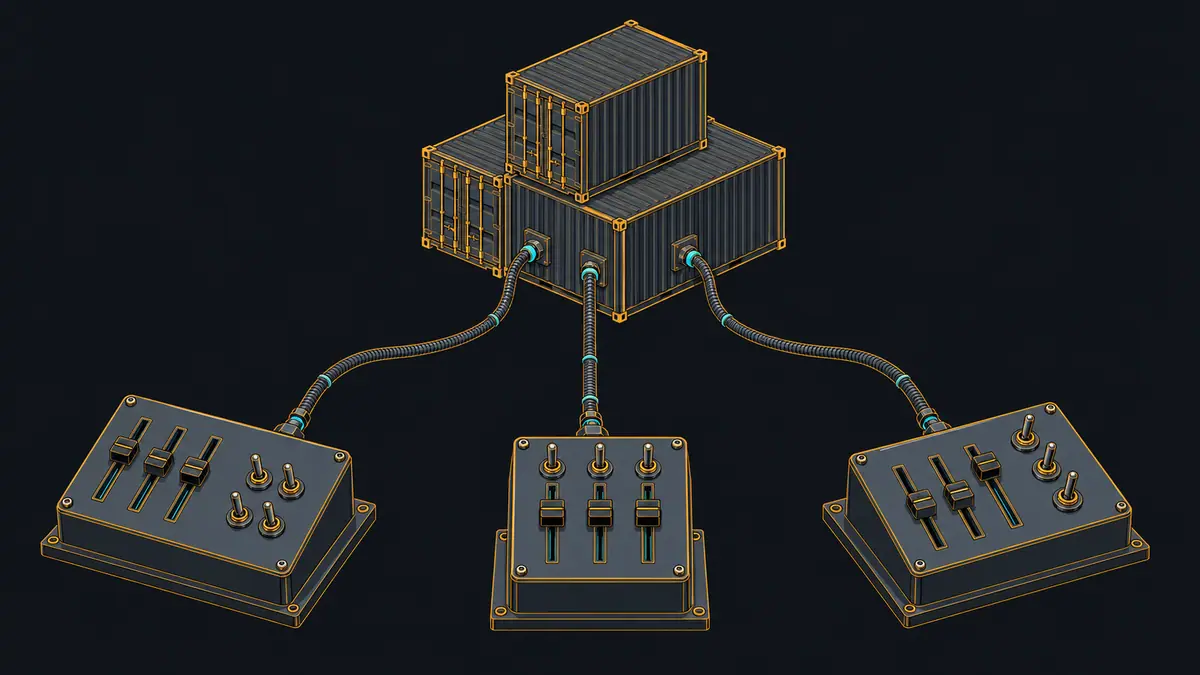
Pick the one whose footprint and architecture you can live with, because on the three jobs tested here they were equal: all of them deployed a compose, streamed logs, and replaced a container when the image tag in the compose changed.
The test stack and the three jobs
Each tool ran in its own VM and managed the same stack of two containers: web (nginx 1.28-alpine) and cache (redis 7.4-alpine). The script deployed it through the tool, then changed the web tag three times (1.29, 1.28, 1.29) and fetched logs. Images were pulled beforehand, so the times exclude downloads. The script drove each tool through the interface its web page uses (REST for Portainer and Komodo, socket.io events for Dockge) rather than by clicking, and timed from the request until docker inspect showed the new container running.
| Tool | Deploy compose (seconds to running) | View logs | Update image: seconds until the container runs the new tag, median (range) of 3 | Web image at the end | How it was driven |
|---|---|---|---|---|---|
| Portainer CE 2.45.3 | yes, 0.537 s | yes, 19 lines | yes, 2.41 s (1.49-2.55) | nginx:1.29-alpine | REST API (stack create and update with pull) |
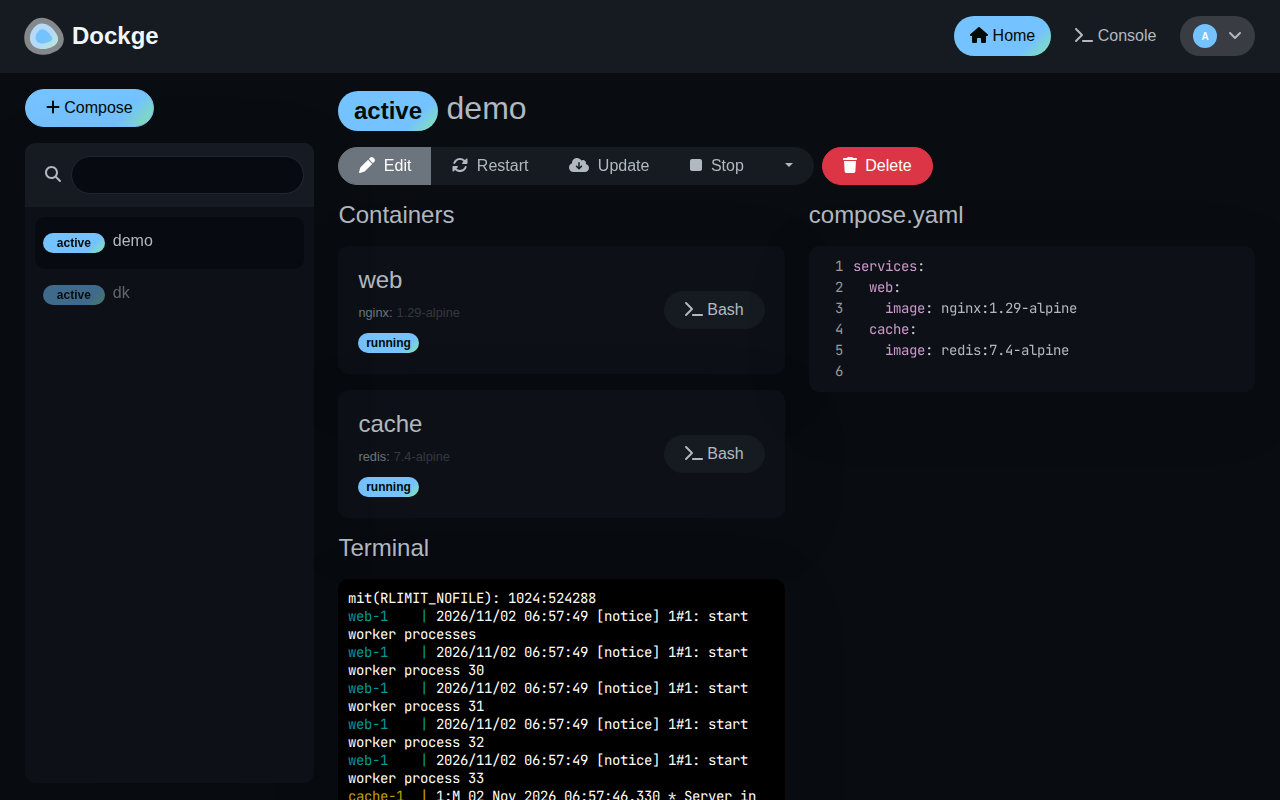
| Dockge 1.5.0 | yes, 0.987 s | yes, UI terminal panel (see screenshot) | yes, 0.94 s (0.93-0.95) | nginx:1.29-alpine | socket.io events the UI sends (deployStack) |
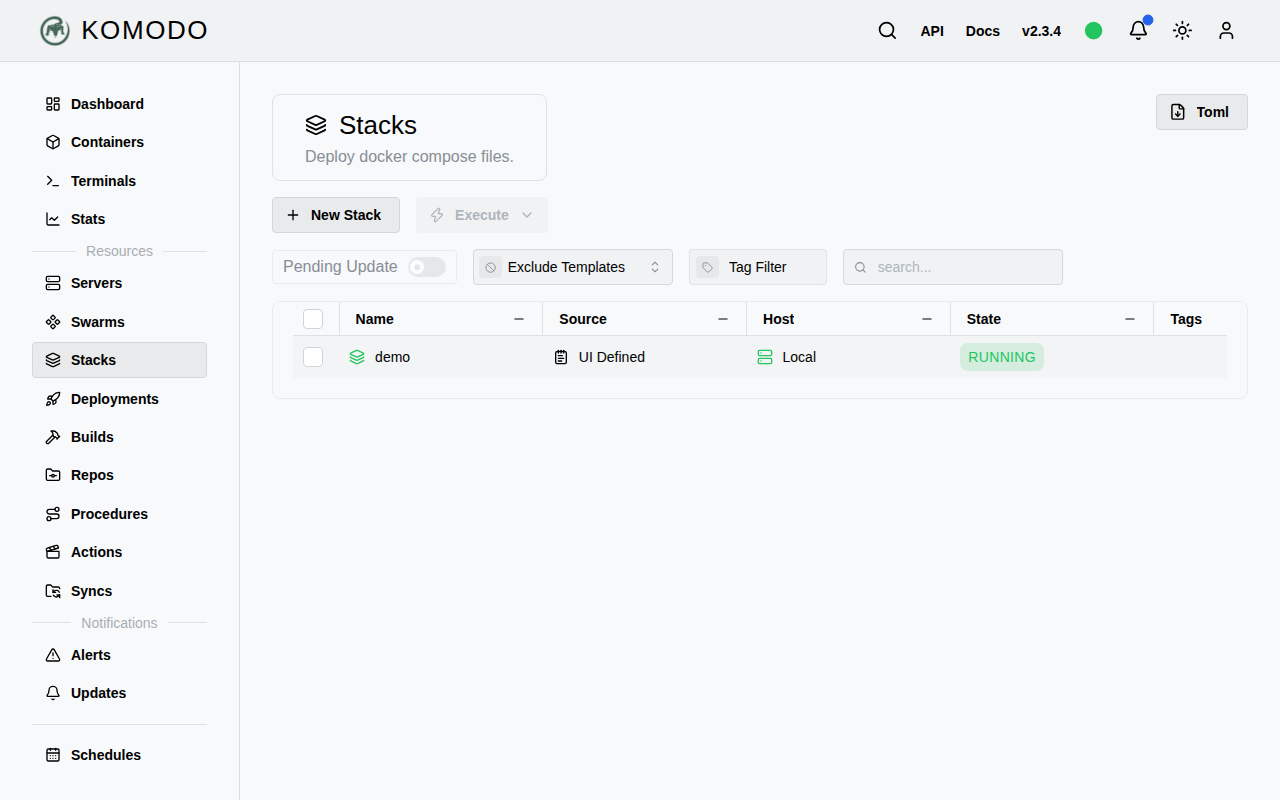
| Komodo 2.3.4 | yes, 1.498 s | yes, 28 lines | yes, 2.58 s (2.37-2.93) | nginx:1.29-alpine | REST API (CreateStack, UpdateStack, DeployStack) |
Images were pre-pulled, so times exclude downloads. Each time runs from the request until `docker inspect` shows the web container running with the expected image. The change went nginx 1.28 to 1.29 to 1.28 to 1.29, so every change replaced the container.
Dockge’s logs are the one entry that rests on a screenshot, not on a number: the web UI streams them into a terminal panel, and the screenshot below shows them there. The script’s own attempt to read that stream through the socket API returned nothing, so no line count exists for Dockge. The update times are not a ranking of the products, and the three were not timed doing identical work. Dockge replaced the container in about 0.94 s (0.93 to 0.95); Portainer took a median 2.41 s and Komodo 2.58 s, with ranges of 1.49 to 2.55 and 2.37 to 2.93. Portainer’s third change returned from the API in 0.01 s and finished in 1.49 s, against about 1 s of API time on its first two; why was not investigated. The script asked Portainer to pull the image on each update (pullImage: true); what Dockge and Komodo do about pulling was not checked. Dockge’s figure also includes starting a node process inside its container and logging in over socket.io for every call, which the REST calls to the other two do not include.
What each one needs
| Tool | Containers | RAM while managing (MiB, sum, median of 12) | RAM per container (MiB) | Containers that mount /var/run/docker.sock | Database or data files found in its volumes |
|---|---|---|---|---|---|
| Portainer CE 2.45.3 | 1 | 27.6 | portainer 27.6 | portainer (read-write) | portainer.db |
| Dockge 1.5.0 | 1 | 128.4 | dockge 128.4 | dockge (read-write) | dockge.db |
| Komodo 2.3.4 | 3 | 242.9 | mongo 186.9, core 49.5, periphery 6.5 | periphery (read-write) | WiredTiger.wt |
RAM was sampled 30 s after the last image change, with the two test containers running and the tool idle. VM 4 vCPU, 3 GB.
Komodo is the odd one: Core holds the interface and a MongoDB database, and a separate Periphery agent is the one that mounts the Docker socket (and, per the mount list in the raw output, the host’s /proc read-write and /etc/komodo). Its docs describe Periphery as a small stateless agent on each connected server, and Core as the web server hosting the API and UI, which is the design that lets one Core manage several hosts. This test used one host, so it paid for that design without using it. Portainer and Dockge are single containers with a local data file (portainer.db, dockge.db). The lab’s Komodo compose starts MongoDB with --wiredTigerCacheSizeGB 0.25, which caps its cache; with MongoDB’s default sizing its 186.9 MiB could be higher, and that was not measured. Dockge’s RAM samples also included a peak of 147.3 MiB (median 128.4).
For comparison, the lab’s separate idle measurements of these stacks, taken before any stack was deployed:
| Stack | Version | RAM at idle | CPU at idle | Images on disk | Ready after |
|---|---|---|---|---|---|
| Portainer CE | 2.45.3 | 0.00% | 200.6 MB | 1.7 s | |
| Dockge | 1.5.0 | 0.21% | 1168.8 MB | 3.7 s | |
| Komodo | 2.3.4 | 0.78% | 2899.1 MB | 9.9 s |
With a stack to manage, Portainer went from 18.2 to 27.6 MiB, Dockge from 121.7 to 128.4 MiB and Komodo from 162.7 to 242.9 MiB. The stacks were measured in different VMs and moments, so treat the increase as indicative; most of Komodo’s is its MongoDB container (186.9 MiB of the total), and its Periphery agent used only 6.5 MiB.
The Docker socket
All three mount /var/run/docker.sock read-write in the lab compose files (see the mounts column above; Komodo only in the Periphery container). Docker’s documentation says the daemon requires root privileges unless run rootless, that only trusted users should control it, and that a container started with the host’s / mounted can alter the host filesystem without restriction. Its post-install page says the docker group grants root-level privileges. The practical reading: whoever logs in to one of these tools, and anyone who can exploit a flaw in it, can start a container that mounts the host’s disk. This test did not check how each tool limits what its users may do, so it says nothing about the security of one over another. Keep the web port off the public internet; the lab binds it to 127.0.0.1.
Licences and editions
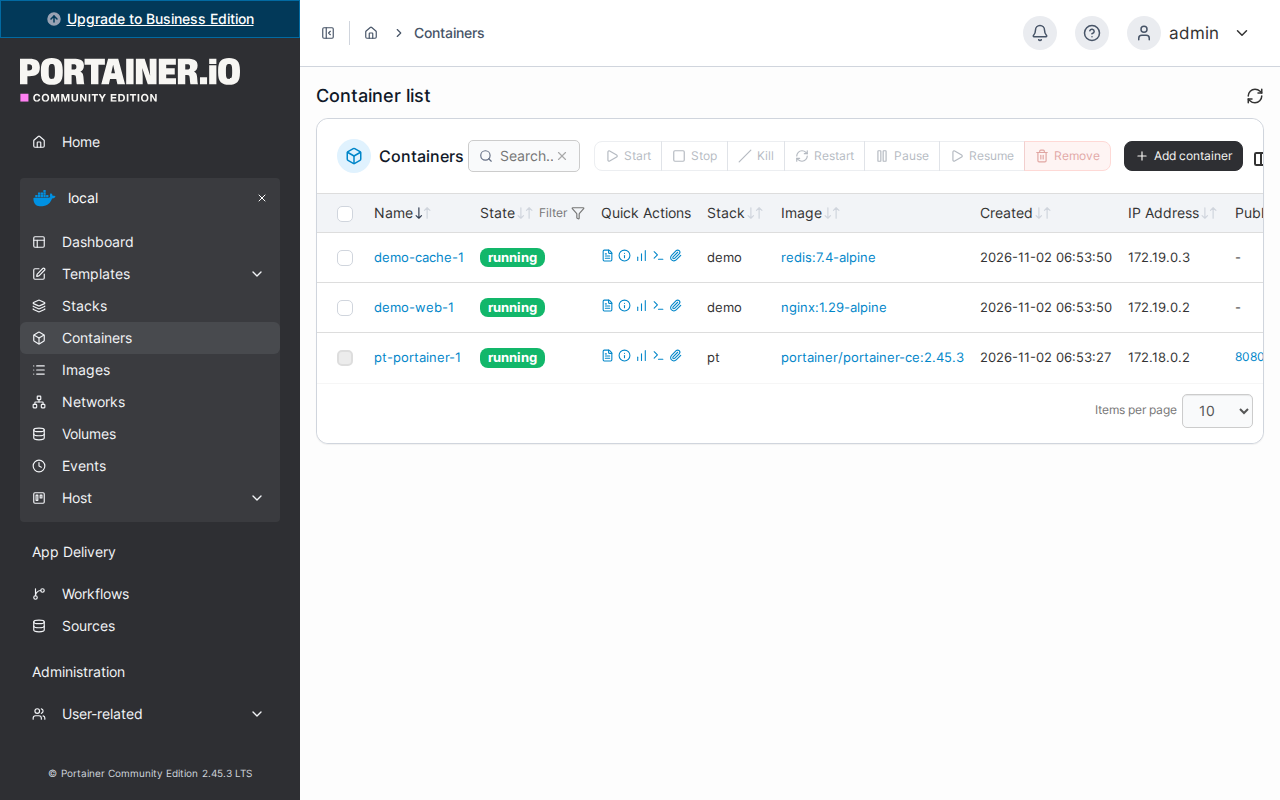
Taken from each project’s own pages. Portainer’s repository says Portainer is licensed under the zlib license; the company also sells Business Edition, and its pricing page lists a “Start free: 3 nodes” option whose terms the page does not describe. The CE interface in the screenshot shows an “Upgrade to Business Edition” banner. Dockge’s repository page lists an MIT license. Komodo’s introduction page says it is licensed under GPL-3.0 and mentions no paid edition. Check each project’s page for the current terms before you rely on any of this.
Which one (opinion)
If you want the least RAM and a single container, Portainer CE. If you want your stacks to stay as ordinary compose.yaml files in a folder you control, Dockge keeps them that way according to its README, and the test used that directory. If you expect to manage several hosts from one place and accept MongoDB, Komodo’s architecture is built for it, but this test used one host. This section is opinion; the tables above are what was measured.
Steps
The compose files are the lab’s stack files, unchanged (see lab/stacks/portainer, dockge and komodo). The script starts each tool, performs the first-run setup, and then deploys and updates the stack.
This file uses the public test value lab-only-not-a-secret. Replace every instance with your own secret before you run it.
Show the full file
#!/usr/bin/env bash
# docker-ui: Portainer CE 2.45.3, Dockge 1.5.0 and Komodo 2.3.4, each in its own VM, managing the same two-service compose.
# Deploys it, changes the web image tag three times, fetches logs, then records RAM, the Docker socket mounts and the data store.
# Usage: run.sh [portainer] [dockge] [komodo]
set -uo pipefail
source "$(dirname "$0")/../_dlib.sh"
T=docker-ui; OUT="$ROOT/evidence/tests/$T"; RAW="$OUT/raw"; D="$ROOT/lab/tests/$T"
TOOLS=("$@"); [ ${#TOOLS[@]} -eq 0 ] && TOOLS=(portainer dockge komodo)
[ $# -eq 0 ] && rm -rf "$OUT"; mkdir -p "$RAW"
declare -A PROJ=([portainer]=pt [dockge]=dk [komodo]=km)
declare -A NAMES=([portainer]="pt-portainer-1" [dockge]="dk-dockge-1" [komodo]="km-mongo-1 km-core-1 km-periphery-1")
one() {
  local tool="$1" p="${PROJ[$1]}"
  start_vm d-$T-$tool
  gx 'mkdir -p ~/t; sudo mkdir -p /opt/stacks /etc/komodo; sudo chown lab /opt/stacks'
  vm scp-to "$ROOT/lab/stacks/$tool/compose.yml" t/compose.yml >/dev/null
  vm scp-to "$D/uitest.py" uitest.py >/dev/null; vm scp-to "$D/dockge-drive.js" dockge-drive.js >/dev/null; vm scp-to "$ROOT/lab/tests/_dsample.py" sample.py >/dev/null
  dpull nginx:1.28-alpine nginx:1.29-alpine redis:7.4-alpine
  cpull '~/t' $p
  gx "cd ~/t && docker compose -p $p up -d 2>&1 | tail -1"
  case $tool in
    portainer) until gx 'curl -sf http://127.0.0.1:8080/api/system/status >/dev/null'; do sleep 2; done ;;
    dockge) until gx 'curl -sf -o /dev/null http://127.0.0.1:8080/'; do sleep 2; done; gx 'docker cp ~/dockge-drive.js dk-dockge-1:/tmp/d.js' ;;
    komodo) until gx 'curl -sf -o /dev/null http://127.0.0.1:8080/'; do sleep 2; done; sleep 40 ;;
  esac
  sleep 15
  gx "python3 ~/uitest.py $tool" > "$RAW/$tool-uitest.json" 2> "$RAW/$tool-uitest.err"
  sleep 30
  gx "python3 ~/sample.py ${NAMES[$tool]}" > "$RAW/$tool-ram-managing.json"
  gx "docker inspect -f '{{.Name}} {{range .Mounts}}[{{.Type}} {{.Source}} -> {{.Destination}} {{.Mode}}] {{end}}' \$(docker ps -q) | sort; echo; sudo sh -c \"for d in /var/lib/docker/volumes/${p}_*/_data; do echo \\\$d; ls -la \\\$d | head -12; done\"" > "$RAW/$tool-mounts-and-data.txt" 2>&1
  gx 'docker inspect -f "{{.Name}} restarts={{.RestartCount}}" $(docker ps -aq)' > "$RAW/$tool-restarts.txt" 2>&1
  local S="$ROOT/public/shots/$T"
  case $tool in
    portainer) shot 8080 / "$S/portainer.png" '[{"wait":6000},{"fill":"#username","value":"admin"},{"fill":"#password","value":"lab-only-not-a-secret"},{"press":"Enter"},{"wait":8000},{"goto":"http://127.0.0.1:18391/#!/1/docker/containers"},{"wait":8000}]' ;;
    dockge) shot 8080 / "$S/dockge.png" '[{"wait":4000},{"fill":"input[placeholder=Username]","value":"admin"},{"fill":"input[placeholder=Password]","value":"lab-only-not-a-secret"},{"press":"Enter"},{"wait":6000},{"click":"text=demo"},{"wait":10000},{"dump":".xterm-rows"}]' > "$RAW/dockge-ui-text.txt" 2>&1 ;;
    komodo) shot 8080 / "$S/komodo.png" '[{"wait":6000},{"fill":"input[placeholder=\"Enter username\"]","value":"admin"},{"fill":"input[placeholder=\"Enter password\"]","value":"lab-only-not-a-secret"},{"press":"Enter"},{"wait":8000},{"goto":"http://127.0.0.1:18391/stacks"},{"wait":8000}]' ;;
  esac
  mkdir -p "$RAW/$tool-env"; collect_env "$RAW/$tool-env"
}
for t in "${TOOLS[@]}"; do ( one "$t" ); done
python3 "$D/summarize.py" "$RAW" "$OUT"This file uses the public test value lab-only-not-a-secret. Replace every instance with your own secret before you run it.
Show the full file
#!/usr/bin/env python3
"""Runs in the VM. Usage: uitest.py portainer|dockge|komodo. Drives the tool the way its UI does (through the API it calls) to
deploy the same two-service compose (nginx web + redis cache), then change the web image tag three times, and fetch logs.
Times are from the request until `docker inspect` shows the web container running with the expected image (images pre-pulled)."""
import json, subprocess, sys, time, urllib.request, urllib.parse
tool = sys.argv[1]; PW = "lab-only-not-a-secret"; B = "http://127.0.0.1:8080"
def sh(c, check=True): return subprocess.run(c, shell=True, capture_output=True, text=True, check=check)
def yml(web): return f"services:\n  web:\n    image: {web}\n  cache:\n    image: redis:7.4-alpine\n"
def web_state():
    r = sh("docker inspect -f '{{.Config.Image}} {{.State.Status}} {{.Id}}' demo-web-1", False)
    if r.returncode: return None
    i, st, cid = r.stdout.split(); return i, st, cid
def wait_web(image, old_id, timeout=180):
    t = time.perf_counter()
    while time.perf_counter() - t < timeout:
        s = web_state()
        if s and s[0] == image and s[1] == "running" and s[2] != old_id: return time.perf_counter() - t, s[2]
        time.sleep(0.05)
    raise SystemExit(json.dumps({"error": f"web never reached {image}", "state": web_state()}))
def http(method, path, body=None, headers=None, raw=False):
    h = {"content-type": "application/json", **(headers or {})}
    try:
        r = urllib.request.urlopen(urllib.request.Request(B + path, data=json.dumps(body).encode() if body is not None else None, headers=h, method=method), timeout=180)
    except urllib.error.HTTPError as e:
        raise RuntimeError(f"HTTP {e.code} on {method} {path}: {e.read().decode()[:400]}")
    d = r.read(); return d if raw else (json.loads(d) if d else None)
out = {"tool": tool, "steps": []}
IMGS = ["nginx:1.28-alpine", "nginx:1.29-alpine", "nginx:1.28-alpine", "nginx:1.29-alpine"]  # first is the deploy, then three image changes
if tool == "portainer":
    tok = sh("docker logs pt-portainer-1 2>&1 | grep -o 'setup_token=[0-9a-f]*' | head -1 | cut -d= -f2").stdout.strip()
    http("POST", "/api/users/admin/init", {"Username": "admin", "Password": PW}, {"X-Setup-Token": tok})
    jwt = http("POST", "/api/auth", {"Username": "admin", "Password": PW})["jwt"]; A = {"Authorization": "Bearer " + jwt}
    r = urllib.request.Request(B + "/api/endpoints", data=b"--x\r\nContent-Disposition: form-data; name=\"Name\"\r\n\r\nlocal\r\n--x\r\nContent-Disposition: form-data; name=\"EndpointCreationType\"\r\n\r\n1\r\n--x--\r\n", headers={**A, "content-type": "multipart/form-data; boundary=x"}, method="POST")
    out["environment_created"] = json.load(urllib.request.urlopen(r))["Name"]
    def deploy(y, first):
        if first: return http("POST", "/api/stacks/create/standalone/string?endpointId=1", {"name": "demo", "stackFileContent": y, "env": []}, A)
        for _ in range(120):  # an update sent while the previous deploy is still finishing is refused with HTTP 409, so wait for status 1 (active)
            if http("GET", "/api/stacks/1", None, A)["Status"] == 1: break
            time.sleep(1)
        return http("PUT", "/api/stacks/1?endpointId=1", {"stackFileContent": y, "env": [], "prune": False, "pullImage": True}, A)
    def logs():
        cid = sh("docker ps -q --filter name=demo-web").stdout.strip()
        d = http("GET", f"/api/endpoints/1/docker/containers/{cid}/logs?stdout=1&stderr=1&tail=20", None, A, raw=True)
        return d.decode("utf-8", "replace")
elif tool == "komodo":
    jwt = http("POST", "/auth/login", {"type": "LoginLocalUser", "params": {"username": "admin", "password": PW}})["data"]["jwt"]; A = {"Authorization": jwt}
    def deploy(y, first):
        # an UpdateStack sent while the previous DeployStack is still running is refused ("Stack busy"), so wait for that update to complete first
        for _ in range(120):
            if not getattr(deploy, "pending", None): break
            if http("POST", "/read", {"type": "GetUpdate", "params": {"id": deploy.pending}}, A).get("status") == "Complete": break
            time.sleep(1)
        if first: http("POST", "/write", {"type": "CreateStack", "params": {"name": "demo", "config": {"server_id": "Local", "file_contents": y}}}, A)
        else: http("POST", "/write", {"type": "UpdateStack", "params": {"id": "demo", "config": {"file_contents": y}}}, A)
        u = http("POST", "/execute", {"type": "DeployStack", "params": {"stack": "demo"}}, A)
        deploy.pending = u["_id"]["$oid"]; return u
    def logs():
        return http("POST", "/read", {"type": "GetStackLog", "params": {"stack": "demo", "services": [], "tail": 20}}, A)["stdout"]
else:  # dockge: its socket API, through a node script inside the container
    sh("docker exec dk-dockge-1 node /tmp/d.js setup")
    def deploy(y, first):
        img = [l.split("image:")[1].strip() for l in y.splitlines() if "nginx" in l][0]
        return json.loads(sh(f"docker exec dk-dockge-1 node /tmp/d.js {'add' if first else 'deploy'} {img}").stdout)
    def logs(): return "(see the UI screenshot step: Dockge streams logs into a terminal panel through a pty)"
old = None
for n, img in enumerate(IMGS):
    t = time.perf_counter(); r = deploy(yml(img), n == 0); api_s = time.perf_counter() - t
    took, old = wait_web(img, old, 180); total = api_s + took
    out["steps"].append({"what": "deploy" if n == 0 else f"change web image to {img}", "image": img, "api_call_s": round(api_s, 3), "total_s_until_container_running": round(total, 3)})
time.sleep(5)
lg = logs(); out["logs_sample"] = lg[-700:]; out["log_lines_returned"] = len([l for l in lg.splitlines() if l.strip()])
out["web_image_final"] = sh("docker inspect -f '{{.Config.Image}}' demo-web-1").stdout.strip()
print(json.dumps(out, indent=1))This file uses the public test value lab-only-not-a-secret. Replace every instance with your own secret before you run it.
Show the full file
// Runs inside the Dockge container (socket.io-client ships in /app/node_modules). Drives Dockge's socket API the way its web UI does.
// Usage: node dockge-drive.js setup | deploy <web-image> | add <web-image>
// "add" creates the stack (isAdd=true); "deploy" saves the edited compose file and redeploys it (isAdd=false), which is what Edit > Deploy does.
const { io } = require("/app/node_modules/socket.io-client");
const PW = "lab-only-not-a-secret";
const [step, image] = process.argv.slice(2);
const yaml = (web) => `services:\n  web:\n    image: ${web}\n  cache:\n    image: redis:7.4-alpine\n`;
const s = io("http://127.0.0.1:5001");
const call = (ev, ...a) => new Promise((res) => s.emit(ev, ...a, res));
s.on("connect", async () => {
  let r;
  try {
    if (step === "setup") r = await call("setup", "admin", PW);
    else {
      r = await call("login", { username: "admin", password: PW, token: "" });
      if (!r.ok) throw new Error("login: " + JSON.stringify(r));
      r = await call("agent", "", "deployStack", "demo", yaml(image), "", step === "add");
    }
    console.log(JSON.stringify({ step, image, r }));
  } catch (e) { console.log(JSON.stringify({ step, error: String(e) })); }
  process.exit(0);
});
setTimeout(() => { console.log(JSON.stringify({ step, error: "timeout" })); process.exit(1); }, 180000);
What went wrong
An earlier version of all these runs had the guest drop its page cache every 15 s, which raised the RAM readings; it was removed and the test rerun, and every test number on this page comes from the rerun (raw files dated 2026-11-02, 06:53 to 07:05 UTC). Two of the first attempts failed in ways that are worth knowing. Portainer refused a stack update sent right after the previous deploy with HTTP 409 until the stack’s status had returned to active, and Komodo refused an update with “Stack busy” (HTTP 500) while its previous DeployStack was still running. The final script waits for those to finish before the next change and does not count the wait. Portainer 2.45.3 also needs a setup token from its log (or the X-Setup-Token header) to create the first admin account, which the first draft of the script did not send. Dockge’s login page rendered blank at /login in the test browser although it worked at /; the screenshot uses /. The early failures were not kept as evidence.
What this test did not cover
Sources and how this was made
- Docker docs: Docker security, daemon attack surface
- Docker docs: Linux post-installation steps (the docker group)
- Portainer: Pricing and Business Edition
- Portainer repository: license and editions
- Portainer docs: Install Community Edition
- Dockge README
- Komodo docs: Introduction
How this page was made: the commands above were run by an AI agent on the test box on November 2, 2026, and the same agent drafted this text from the saved output. The site's owner reviewed the site before publication. Test method and editorial policy explain how results are checked, and what is not. Spotted an error? Tell us.