Volume vs bind mount: no clear speed gap, ownership differs
Tested on Docker Engine 29.9.2
Test result
On this VM, three fio runs each gave overlapping results for a named volume, a bind mount and the container's own layer, so the test found no speed reason to choose; choose on ownership and backups. The practical difference was permissions: a non-root image failed on a bind mount Docker created (owner 0:0) and on one made by the host user (owner 1000:1000), and ran on a fresh named volume.
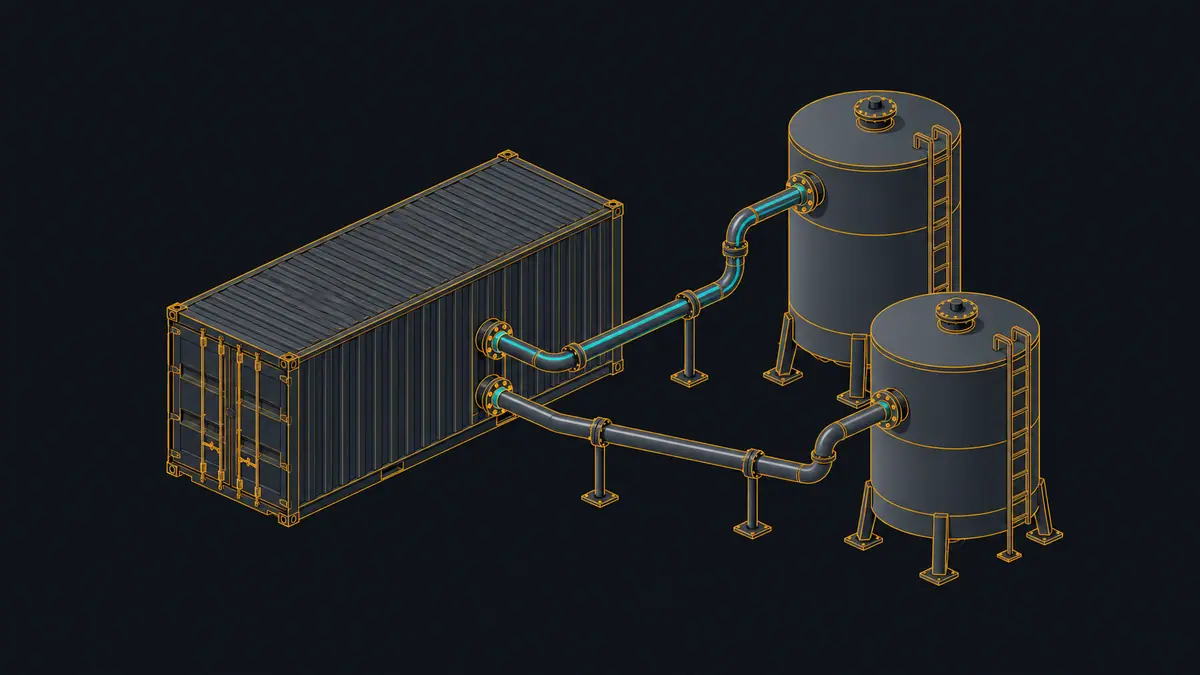
Default to a named volume for data a container owns (databases, app state) and to a bind mount for files you edit or read from the host (configs, a media folder). Throughput gave no reason to prefer either, but ownership did.
Throughput: no consistent winner in three runs
fio ran inside an Alpine 3.22 container against a file on a named volume, on a bind mount of a host directory, and on the container’s own writable layer (no mount). All three sat on the same virtio disk (ext4 root, containerd overlayfs snapshotter).
| Test | Named volume | Bind mount | Container layer (no mount) |
|---|---|---|---|
| Sequential write, 1 MiB blocks (MiB/s) | 1879 (1133-2163) | 1674 (1602-1833) | 1497 (1228-1869) |
| Sequential read, 1 MiB blocks (MiB/s) | 1963 (1607-2068) | 1370 (1355-1880) | 1359 (1338-1685) |
| Random write, 4 KiB, QD32 (IOPS) | 72603 (69419-76373) | 68084 (54182-74734) | 69248 (58010-77245) |
| Random read, 4 KiB, QD32 (IOPS) | 98230 (90587-108162) | 90343 (74683-104378) | 95569 (83813-110811) |
| Random write p99 completion latency (us) | 799 (684-872) | 1012 (741-2507) | 823 (692-2933) |
| Random read p99 completion latency (us) | 1057 (692-1319) | 1450 (586-1810) | 1548 (498-1729) |
Median of 3 runs, range in parentheses. 512 MiB file, direct I/O, 15 s per job after 2 s ramp. VM 4 vCPU, 3 GB, one virtio disk; absolute numbers are VM numbers and only the comparison between columns is meaningful.
The medians differ by as much as 46% in places (random-read p99 latency: 1057 µs on the volume against 1548 µs on the layer; sequential read: 1963 MiB/s on the volume against 1359 MiB/s on the layer is 44%), but the ranges overlap in every row, and the host was busy with other test jobs (load average 6.52 when the run ended, see env.txt). An earlier complete run of the same script, discarded after the permissions block was rewritten, ordered the sequential-read results differently. We suspect noise from a shared host, but the test did not isolate the cause. These are VM numbers: only the comparison between columns means anything, and with three runs per cell on a busy host it found no consistent gap. That is not proof that the three are equal; a real difference smaller than this noise would not have shown.
Permissions: where the real differences were
prom/prometheus:v3.15.1 runs as nobody (uid 65534), a common pattern for non-root images. Each row mounts the data directory in a different way:
| Setup | Container 6 s after start | First permission error in the log | Owner uid:gid and mode of the mounted directory afterwards |
|---|---|---|---|
| Bind mount, host path missing (Docker creates it) | exited (exit 1) | open /prometheus/queries.active: permission denied | 0:0 755 |
| Bind mount, directory made by the host user (uid 1000) | exited (exit 1) | open /prometheus/queries.active: permission denied | 1000:1000 775 |
| Bind mount, same kind of directory after chown 65534:65534 | running (exit 0) | - | 65534:65534 775 |
| Bind mount, host-user directory, container run with --user 1000:1000 | running (exit 0) | - | 1000:1000 775 |
| Named volume, fresh and empty | running (exit 0) | - | 65534:65534 775 |
| Named volume, empty, directory reset to root:root 755 first | running (exit 0) | - | 65534:65534 775 |
| Named volume, already holds a file, directory root:root 755 | exited (exit 1) | open /prometheus/queries.active: permission denied | 0:0 755 |
Host user is uid 1000. Host access to a volume mountpoint: host user listing of a volume mountpoint: | ls: cannot access '/var/lib/docker/volumes/promvol/_data': Permission denied
- Missing host path. Docker created
/srv/p1itself as0:0with mode 755 and the container exited withopen /prometheus/queries.active: permission denied. The docs say-vcreates a missing directory; the test shows who owns it. - A directory you made. Owned by the host user (1000:1000), mode 775, the container still could not write: uid 65534 is “other” there. The fixes that worked were
chown 65534:65534on the host directory, or--user 1000:1000on the container, which ran against the same directory. - A fresh named volume worked, with owner
65534:65534: on first mount into an empty volume Docker copies the image path’s ownership. The volume reset toroot:root 755while still empty also ended up65534:65534, so the copy-in happened for an empty volume even after its directory was changed. - A volume that already held a file, owned by root, failed like the bind mount did: nothing is copied in once the volume has content.
The host user cannot read a volume’s files directly: ls /var/lib/docker/volumes/<name>/_data returned Permission denied, so host-side backups of a volume need sudo or a helper container.
Where the data lives after docker rm
A file written to the container layer was gone when the container was recreated; the file on the volume and the file on the bind mount were both still there (raw/lifetime.txt). Anything not mounted lives only as long as the container.
Backups
The same dataset (2,000 files of 64 KiB plus 20,000 small files, 135,072,000 bytes) was archived with tar czf three ways:
| Method | Seconds, 3 runs | Archive bytes |
|---|---|---|
| Bind mount: `tar` on the host | 4.36 (3.76-4.61) | 134,119,332 |
| Named volume: `docker run -v vol:/d alpine tar` | 6.19 (4.93-7.31) | 134,118,493 |
| Named volume: `sudo tar` on /var/lib/docker/volumes/<vol>/_data | 4.30 (3.89-4.42) | 134,119,332 |
Dataset 135,072,000 bytes on disk (du -sb). Archives are gzip tarballs written to the VM disk, source live and idle. File counts and ownership checks are in raw/bk-counts.txt.
Archiving the bind-mounted directory from the host and sudo tar on the volume’s _data directory took about the same time (4.36 and 4.30 s median). Going through a helper container (docker run --rm -v vol:/d:ro -v $HOME/bk:/b alpine tar czf /b/vol.tgz -C /d .) took 6.19 s median, 1.8 s more. That comparison mixes tools: the helper ran Alpine’s busybox tar and gzip, while the other two methods ran GNU tar on the host (the archive sizes differ by 839 bytes, see the table), so the extra time may come from the tools and not from going through a container. The three methods also ran in a fixed order in each repetition. All three archives held 22,000 files (raw/bk-counts.txt). Neither method quiesced a running database; for that, use the database’s own dump.
Reproduce
docker volume create fiovol
docker run --rm -v fiovol:/t --user 0 fio-lab sh -c 'cd /t && fio --filename=/t/f.dat --size=512M --direct=1 --rw=randread --bs=4k --ioengine=libaio --iodepth=32 --runtime=15 --time_based --name=j'
docker run --rm -v $HOME/fiobind:/t --user 0 fio-lab ...      # bind mount
docker run --rm --user 0 fio-lab ...                           # container layer
fio-lab is Alpine 3.22 with apk add fio. The commands above are an abbreviated sketch of one job, not the tested commands: the script runs four jobs in order (sequential write, sequential read, random write, random read) with a 2 s ramp and JSON output, and the write job creates the file the others read. The full job set is in the script:
Show the full file
#!/usr/bin/env bash
# volumes-fio: fio on named volume, bind mount and container layer; permissions with a non-root image; backup procedures.
set -uo pipefail
source "$(dirname "$0")/../_lib.sh"
T=volumes-fio; OUT="$ROOT/evidence/tests/$T"; RAW="$OUT/raw"; rm -rf "$OUT"; mkdir -p "$RAW"
start_vm a-$T
gx 'bc --version >/dev/null 2>&1 || sudo apt-get install -y -qq bc >/dev/null 2>&1; true'
vm scp-to "$ROOT/lab/tests/$T/guest.sh" guest.sh
gx 'bash guest.sh' > "$RAW/guest-stdout.txt" 2>&1
vm scp-from out "$RAW/"; mv "$RAW/out"/* "$RAW/"; rmdir "$RAW/out"
collect_env "$OUT"
python3 "$ROOT/lab/tests/$T/summarize.py" "$RAW" "$OUT"
What went wrong
The first complete run had a permissions block with a mistake: it tested a “root-owned volume” that was still empty, which Docker repopulated with the image’s ownership, so it proved nothing about root-owned volumes. The script now has a separate case with a file in the volume. That run’s fio and backup data was overwritten by the rerun.
What this test did not cover
Sources and how this was made
How this page was made: the commands above were run by an AI agent on the test box on November 1, 2026, and the same agent drafted this text from the saved output. The site's owner reviewed the site before publication. Test method and editorial policy explain how results are checked, and what is not. Spotted an error? Tell us.