U5 / Hypervisors and platforms
Home Assistant OS vs Container: boot, RAM and disk
Tested on Home Assistant OS (haos_ova qcow2) 18.4
Test result
Home Assistant OS 18.4 booted to the onboarding API in 88 s in a nested 2 vCPU, 2 GB KVM guest and used a median of 659 MiB inside the guest (QEMU's resident size on the lab VM was 2,118 MiB), against 346 MiB and 5 s for Home Assistant Container 2026.10.4 in Docker; the OS time is a single first boot and both are single runs. Running the OS means running a whole VM (the guest's disk file grew to 5.62 GiB after first boot, for a cause the test did not examine); the benefit, per the official docs, is apps, which Container installations do not have. No Zigbee, Z-Wave or Bluetooth hardware was tested.
The choice between the two is about what you want Home Assistant to manage for you, and the resource cost is small next to that. This test measured the cost anyway: the official OS image in a nested KVM guest, and Container in Docker, in the same 4 vCPU, 4 GB lab VM.
What the docs say about the difference
The installation page says Home Assistant Operating System “supports apps” and calls it the most convenient option for installation and maintenance. It says “Home Assistant Container installations don’t have access to apps” and that you “manually handle updates”. The page also says there is no out-of-the-box support for Thread and Z-Wave on Container installations. The current docs call them apps; this test checked the page’s wording and it did not use the older name “add-ons”. The Linux install page lists the KVM image, minimum hardware for a VM of 2 GB of RAM and 2 vCPUs, and says Home Assistant requires UEFI to boot. The nested guest here used exactly those minimums with OVMF firmware.
Setup tested
- OS:
haos_ova-18.4.qcow2.xz(509 MB) from the official releases, its SHA-256 compared with the digest GitHub publishes for the asset (match), unpacked (904 MiB file, 32 GiB virtual size), booted withqemu-system-x86_64 -enable-kvm -cpu host -smp 2 -m 2048inside the lab VM, with a user-mode network and a virtio balloon device so the guest’s memory statistics could be read. - Container: the stack’s compose file,
ghcr.io/home-assistant/home-assistant:2026.10.4, in the same VM after the OS guest was shut down.
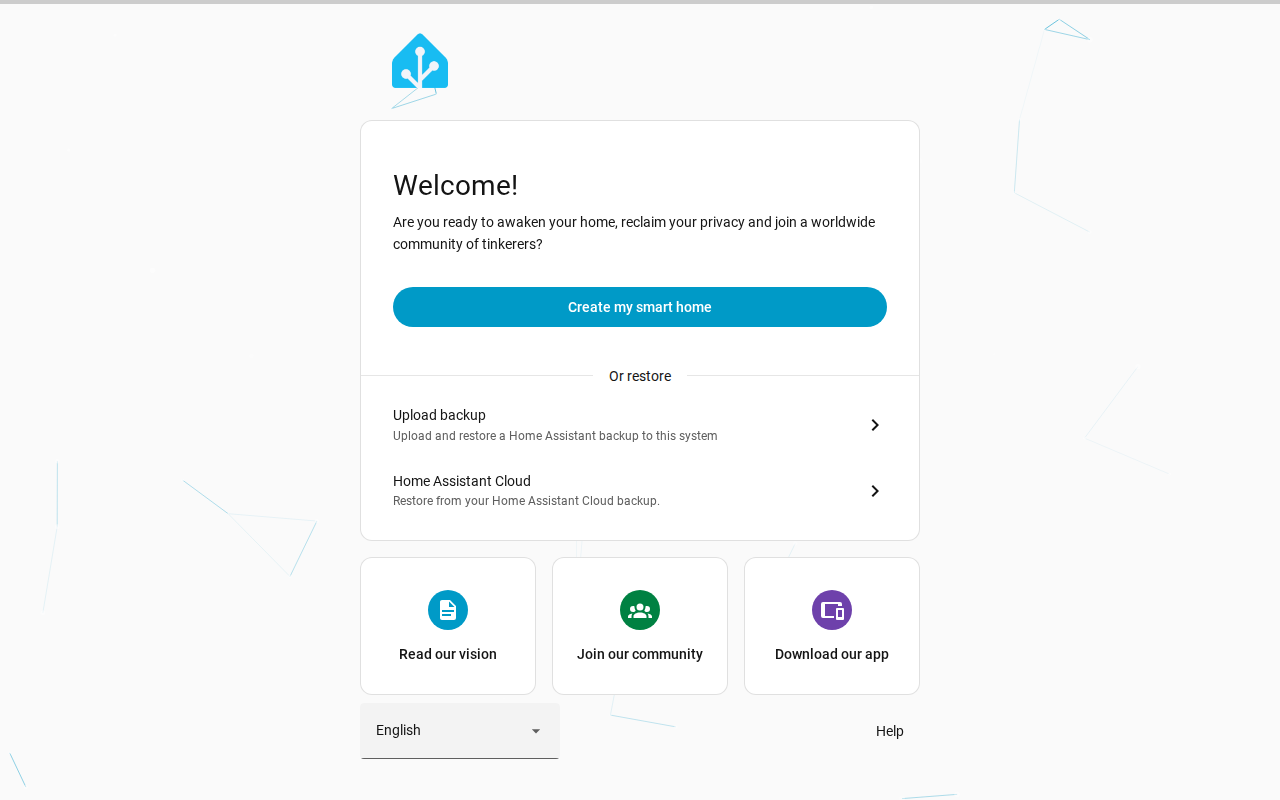
Both were measured at the onboarding page with no account and no integrations.
Results
| Setup | First HTTP 200 (OS: guest port 80; Container: port 8123) | `/api/onboarding` answers with the first step |
|---|---|---|
| Home Assistant OS 18.4 in a nested KVM guest (2 vCPU, 2 GB) | 31 s | 88 s |
| Home Assistant Container 2026.10.4 (Docker, image already pulled) | 5 s | 5 s |
HAOS: seconds from starting QEMU, first boot of the image, measured on the guest's port 80 (port 8123 answers with a redirect to it). Container: seconds from `docker compose up -d` after the image had been pulled. Single run each, nested KVM, VM 4 vCPU, 4 GB.
| Measurement | Value |
|---|---|
| Home Assistant OS guest: memory in use (total minus available, balloon statistics), median / max | 659 / 696 MiB of 1967 MiB |
| Home Assistant OS guest: page cache reported by the guest, median | 1019 MiB |
| QEMU process resident memory on the lab VM, median / max | 2118 / 2132 MiB |
| Home Assistant Container: docker stats, median / max | 346 / 346 MiB |
HAOS samples every 10 s for 300 s (30 usable samples) through the virtio-balloon statistics of the guest kernel. Container: 12 samples 5 s apart taken 5 minutes after the onboarding API answered, page cache excluded. Neither had an account or integrations; the onboarding page was showing.
| Setup | Size |
|---|---|
| Home Assistant OS | download 509 MB (.qcow2.xz); virtual size 32 GiB (34359738368 bytes); file 904 MiB after unpacking and 5.62 GiB after the first boot |
| Home Assistant Container | image 3.468GB on disk; config volume 0.7 MB after 10 min |
| Checksum of the OS download | sha256 matches the digest GitHub publishes for the asset |
OS file sizes from `qemu-img info` / `ls -s` on the VM; the image is thin-provisioned.
- Boot: the OS guest answered HTTP 200 on its port 80 after 31 s and served the first onboarding step through
/api/onboardingafter 88 s. Container was ready in 5 s once the image had been pulled. Single runs, nested KVM. - A difference worth knowing: in the OS guest, port 8123 answered with a 307 redirect to
http://127.0.0.1/(port 80), so a port forward for 8123 alone shows nothing useful. The raw response is in the evidence. Container served the onboarding step on 8123 directly. - Memory: the guest saw 1,967 MiB of the 2,048 MiB it was given, used a median of 659 MiB (maximum 696 MiB) by the guest kernel’s own count, and kept another 1,019 MiB as page cache. QEMU’s resident size on the lab VM was about 2,118 MiB, which is close to the whole 2,048 MiB the guest was given. Container’s single container held 346 MiB, steady across 12 samples.
- Disk: the OS image file started at 904 MiB and was 5.62 GiB on the VM’s disk shortly after the first boot, from a 32 GiB virtual disk. The test did not look at what grew. Container’s image was 3.468 GB with a 0.7 MB config volume.
The stack table’s idle figure for Container (taken at first run) is a separate measurement:
| Stack | Version | RAM at idle | CPU at idle | Images on disk | Ready after |
|---|---|---|---|---|---|
| Home Assistant Container | 2026.10.4 | 0.00% | 3467.9 MB | 12.3 s |
What the numbers do not say
The OS guest’s 659 MiB covers the operating system, the supervisor and everything it manages, so the two memory figures are not the same scope: Container is one process tree, the OS figure is a small server. Nothing here says how either grows with integrations, history or apps. The OS numbers also come from nested virtualization (a guest inside a lab VM), where boot time and disk behavior will differ from real hardware or a normal hypervisor.
Steps
# OS: the official qcow2, UEFI, 2 vCPU, 2 GB, balloon device for guest memory stats
qemu-system-x86_64 -enable-kvm -cpu host -smp 2 -m 2048 -machine q35 \
  -drive if=pflash,format=raw,readonly=on,file=/usr/share/OVMF/OVMF_CODE_4M.fd -drive if=pflash,format=raw,file=vars.fd \
  -drive file=haos.qcow2,if=virtio,format=qcow2 -nic user,model=virtio-net-pci,hostfwd=tcp:127.0.0.1:8123-:8123,hostfwd=tcp:127.0.0.1:8081-:80 \
  -device virtio-balloon-pci,id=b0 -qmp unix:/tmp/qmp.sock,server,nowait -display none
# Container
docker compose up -dservices:
homeassistant:
image: ghcr.io/home-assistant/home-assistant:2026.10.4
restart: unless-stopped
environment:
TZ: UTC
ports:
- "127.0.0.1:8123:8123"
volumes:
- ha_config:/config
volumes:
ha_config:Show the full file
#!/usr/bin/env bash
# home-assistant: Home Assistant OS 18.4 (official haos_ova qcow2) booted in a nested QEMU/KVM guest (2 vCPU, 2 GB, UEFI, the documented minimum)
# inside the lab VM, against Home Assistant Container run in the same VM. Boot to the onboarding page, guest RAM (virtio-balloon statistics), disk.
set -uo pipefail
source "$(dirname "$0")/../_e/lib.sh"
T=home-assistant; D="$ROOT/lab/tests/$T"; OUT="$ROOT/evidence/tests/$T"; RAW="$OUT/raw"
rm -rf "$OUT"; mkdir -p "$RAW" "$ROOT/public/shots/$T"
start_vm e-ha-os || exit 1
collect_env "$OUT"
gx 'ls -l /dev/kvm; grep -c -E "svm|vmx" /proc/cpuinfo; cat /sys/module/kvm_amd/parameters/nested 2>/dev/null' > "$RAW/nested-kvm.txt" 2>&1
gx 'sudo apt-get update -qq >/dev/null 2>&1; sudo apt-get install -y -qq qemu-system-x86 ovmf xz-utils qemu-utils >/dev/null 2>&1; qemu-system-x86_64 --version | head -1; ls /usr/share/OVMF/ | head' > "$RAW/qemu-install.txt" 2>&1
vm scp-to "$D/qmp.py" qmp.py; vm scp-to "$D/bootwait.py" bootwait.py
# official image, checked against the sha256 that GitHub publishes for the release asset
gx 'mkdir -p ~/h && cd ~/h && REL=$(curl -s https://api.github.com/repos/home-assistant/operating-system/releases/latest); echo "$REL" | python3 -c "
import sys,json;d=json.load(sys.stdin);print(\"tag\",d[\"tag_name\"],d[\"published_at\"])
for a in d[\"assets\"]:
    if a[\"name\"].startswith(\"haos_ova-\") and a[\"name\"].endswith(\".qcow2.xz\"): print(\"asset\",a[\"name\"],a[\"size\"],a[\"digest\"],a[\"browser_download_url\"])" > rel.txt; cat rel.txt
U=$(awk "/^asset/{print \$5}" rel.txt); WANT=$(awk "/^asset/{print \$4}" rel.txt | sed s/sha256://); S=$(date +%s); curl -sL -o haos.qcow2.xz "$U"; echo "download_secs=$(( $(date +%s) - S ))"; echo "want=$WANT"; echo "got=$(sha256sum haos.qcow2.xz | cut -d" " -f1)"; ls -l haos.qcow2.xz' > "$RAW/image-download.txt" 2>&1
gx 'cd ~/h && S=$(date +%s); xz -dk haos.qcow2.xz; echo "decompress_secs=$(( $(date +%s) - S ))"; mv haos_ova-*.qcow2 haos.qcow2 2>/dev/null; qemu-img info haos.qcow2; cp /usr/share/OVMF/OVMF_VARS_4M.fd vars.fd' > "$RAW/image-info.txt" 2>&1
gx 'sudo chmod 666 /dev/kvm; cd ~/h && (setsid nohup sh -c "date +%s.%N > t_qemu_start; exec qemu-system-x86_64 -name haos -enable-kvm -cpu host -smp 2 -m 2048 -machine q35 -drive if=pflash,format=raw,readonly=on,file=/usr/share/OVMF/OVMF_CODE_4M.fd -drive if=pflash,format=raw,file=vars.fd -drive file=haos.qcow2,if=virtio,format=qcow2 -nic user,model=virtio-net-pci,hostfwd=tcp:127.0.0.1:8123-:8123,hostfwd=tcp:127.0.0.1:8081-:80 -device virtio-balloon-pci,id=b0 -qmp unix:/tmp/qmp.sock,server,nowait -display none" > qemu.log 2>&1 < /dev/null &) ; sleep 1; echo started' > "$RAW/qemu-start.txt" 2>&1
gx 'cd ~/h && python3 ~/bootwait.py t_qemu_start 1800 8081' > "$RAW/boot-timing.txt" 2>&1
cat "$RAW/boot-timing.txt"
gx 'python3 qmp.py /tmp/qmp.sock balloon 300 10' > "$RAW/guest-mem-5min-after-ready.jsonl" 2>&1
gx 'cd ~/h; qemu-img info --force-share haos.qcow2 | grep -E "virtual size|disk size"; ls -ls haos.qcow2; free -m | sed -n 2p' > "$RAW/disk-after-boot.txt" 2>&1
gx 'curl -si -m 5 http://127.0.0.1:8123/ | head -6' > "$RAW/port-8123-response.txt" 2>&1
tunnel 18093 8081
( cd "$D" && node ../_e/shot.mjs http://127.0.0.1:18093/ "$ROOT/public/shots/$T/onboarding.png" ) > "$RAW/shot.txt" 2>&1
untunnel
gx 'pkill -f "qemu-system-x86_64 -name haos" ; sleep 5; echo stopped' > "$RAW/stop-guest.txt" 2>&1
# Container in the same VM, same measurement style
vm scp-to "$ROOT/lab/stacks/home-assistant/compose.yml" ha.yml
gx 'mkdir -p ~/c && mv ~/ha.yml ~/c/compose.yml && cd ~/c && S=$(date +%s); docker compose pull -q 2>&1 | tail -1; echo "pull_secs=$(( $(date +%s) - S ))"; docker images --format "{{.Repository}}:{{.Tag}} {{.Size}} {{.ID}}"' > "$RAW/container-pull.txt" 2>&1
gx 'cd ~/c && date +%s.%N > t0 && docker compose up -d >/dev/null 2>&1; python3 ~/bootwait.py t0 600' > "$RAW/container-boot-timing.txt" 2>&1
gx 'sleep 300; for i in $(seq 1 12); do docker stats --no-stream --format "{{.Name}},{{.MemUsage}},{{.CPUPerc}}"; sleep 5; done; sudo du -sb /var/lib/docker/volumes/c_ha_config | cut -f1; docker system df | head -3' > "$RAW/container-mem-5min-after-ready.txt" 2>&1
python3 "$D/summarize.py" "$RAW" "$OUT"
What went wrong
The first attempts produced no data. QEMU could not open /dev/kvm inside the lab VM because the lab user is not in the kvm group (the script now opens the device permissions in the throwaway VM), and the next attempt polled port 8123 for a page that only appears on port 80. The reported run is the third. In the second attempt the shell command that started QEMU also never returned, so it was interrupted by hand; the launch line now detaches the process with setsid, and the reported run used it. Another small fix: reading the disk size with qemu-img info failed while the guest held the file’s write lock, so the size comes from ls -s (the script now passes --force-share).
What this test did not cover
Sources and how this was made
- Home Assistant: Installation
- Home Assistant: Install Home Assistant OS on Linux (KVM)
- Home Assistant OS releases
How this page was made: the commands above were run by an AI agent on the test box on November 2, 2026, and the same agent drafted this text from the saved output. The site's owner reviewed the site before publication. Test method and editorial policy explain how results are checked, and what is not. Spotted an error? Tell us.